The Email Campaigns page lists every campaign with its key numbers. This article explains what each number counts and how each rate is worked out, so you can read your results correctly.
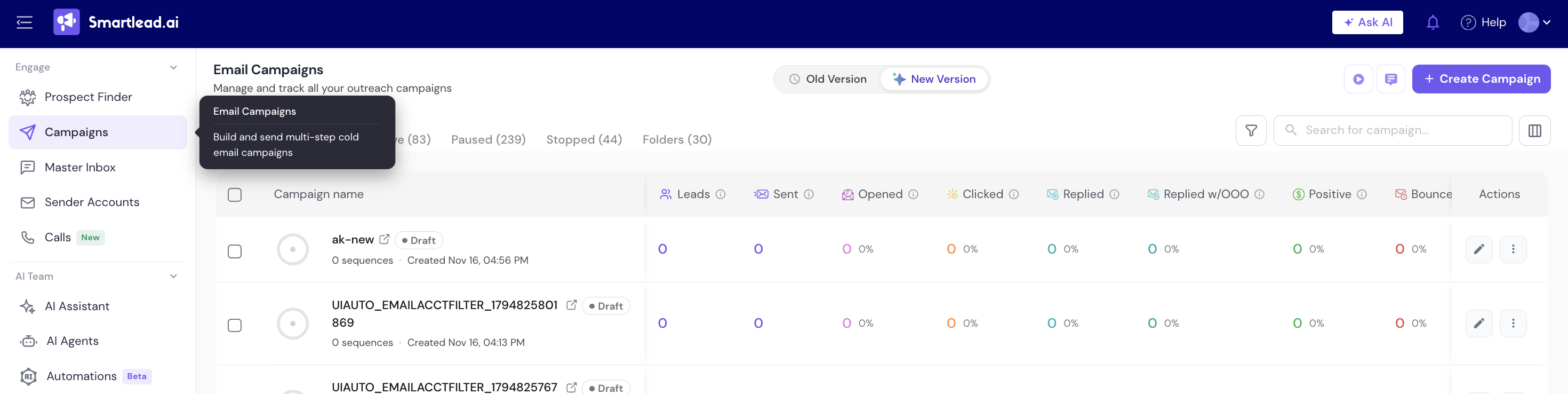
In the left menu, click Email Campaigns.
Find the campaign you want to check in the list.
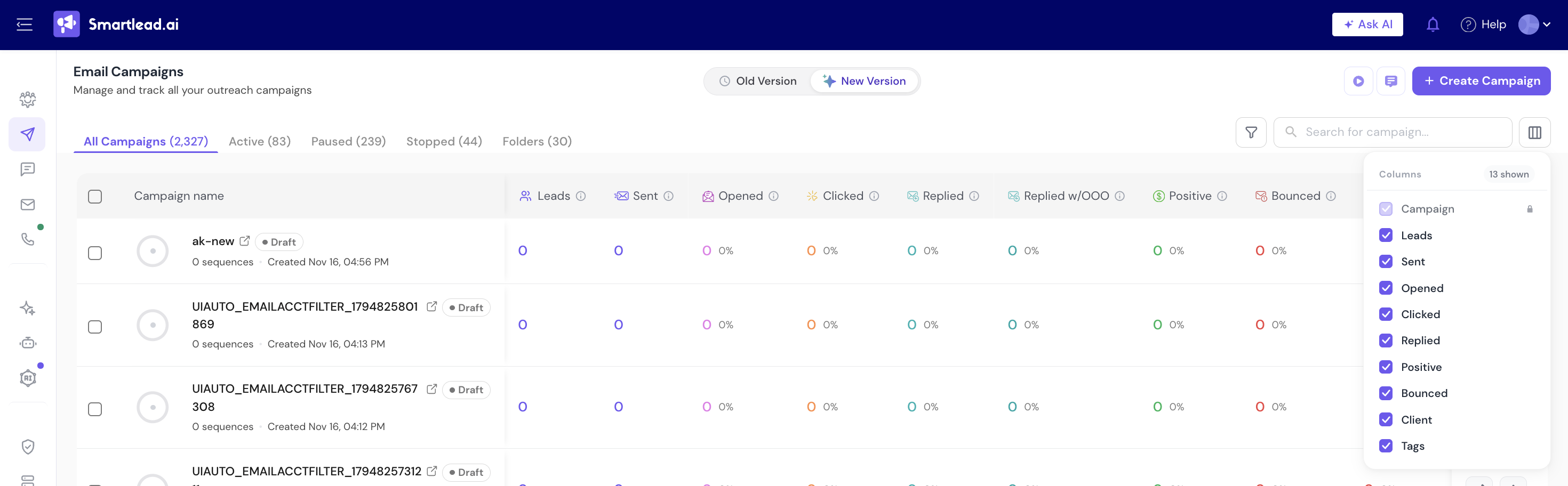
Above the campaign list, open Column Customization.
Tick the metrics you want as columns, and clear the ones you don't need.
Opened counts sent emails that were opened at least once, one per email. A lead who opens 4 steps adds 4.
If open tracking is off, or the campaign is sent as plain text, the open rate shows N/A.
On the campaign list, click rate is unique leads who clicked ÷ unique leads contacted. Clicked counts leads with at least one click, not every click.
On a campaign's step-by-step analytics, click rate is clicked emails ÷ opened emails. Security scanners can click links without loading images, so this rate can go above 100%.
Reply rate uses opens, not sends. When open tracking is on, it is replies ÷ unique leads who opened.
If open tracking is off, or the campaign is sent as plain text, reply rate is replies ÷ unique leads contacted.
Positive replies counts leads whose current lead category is positive, for example Interested. It follows the category, so changing a lead's category changes the count.
Positive reply rate is positive replies ÷ replies. It is not a share of emails sent.
Bounced counts emails the receiving server sent back.
A sender bounce is a bounce where the receiving server refused the sender, for example a block, a policy rule, an SPF or DKIM failure, a blacklist or a reputation filter. It does not mean the address is bad. Smartlead tags these leads Sender Originated Bounce.
Sender bounces are always part of all bounces. Some screens show them separately and leave them out of Bounced; others include them.
Different screens can show different rates for the same campaign because they divide by different numbers. Both figures are correct.
To see replies against everyone you contacted, divide the reply count by the leads contacted figure yourself.
A high sender bounce count usually points to the mailbox, domain authentication or the recipient's filters, not your lead list.
Check which number the rate is divided by. Reply rate uses unique opens when open tracking is on. Click rate on the step tables uses opened emails.
A lead's category was changed. The count always follows each lead's current category.
Still stuck? Contact support from the chat in your Smartlead dashboard.
