
Smartlead keeps each conversation with a lead in one email thread. Your campaign emails, the lead's replies and your replies from the Master Inbox all sit together.
Your reply stays in the original thread. It goes from the mailbox that emailed the lead, and its subject is "RE:" plus the original subject.
How it works
Follow-ups in a campaign are always sent from the mailbox that sent the lead's first email. This keeps them in one thread.
When you reply from the Master Inbox, Smartlead sends it from that same mailbox, threaded on the original email.
There is no subject field when you reply. The subject is kept as a reply to the original.
Step 1: Open the conversation
In the left menu, click Master Inbox.
Click the lead whose conversation you want to see.
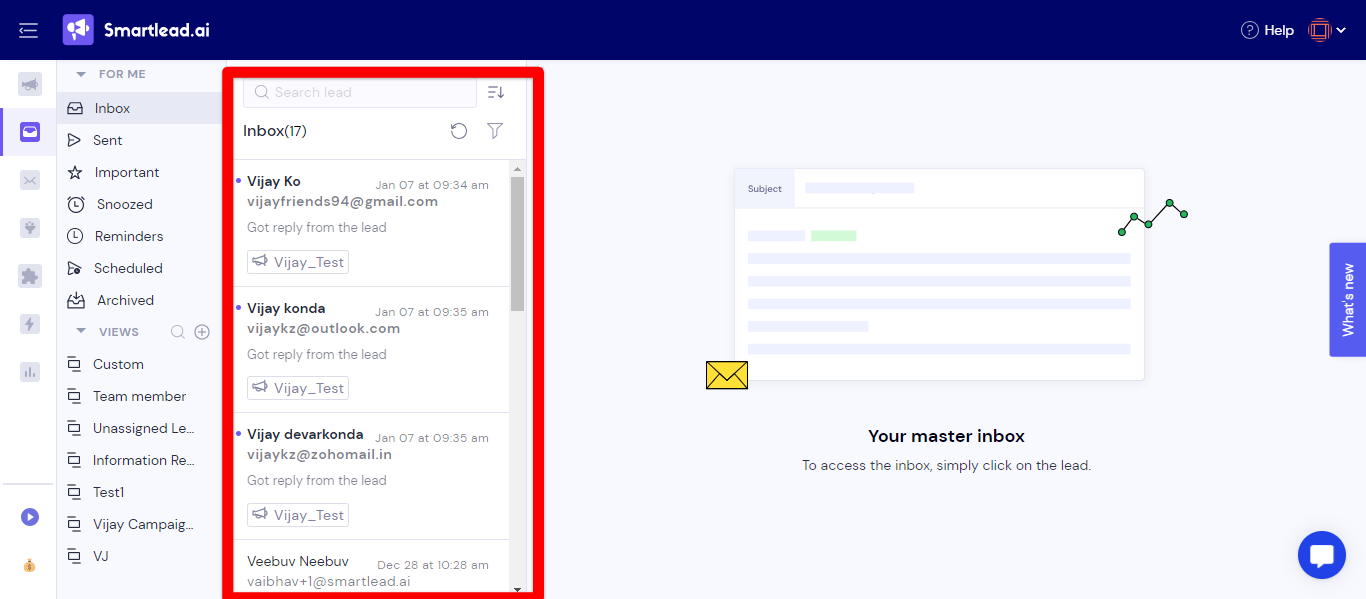
The conversation with that lead opens as one thread.
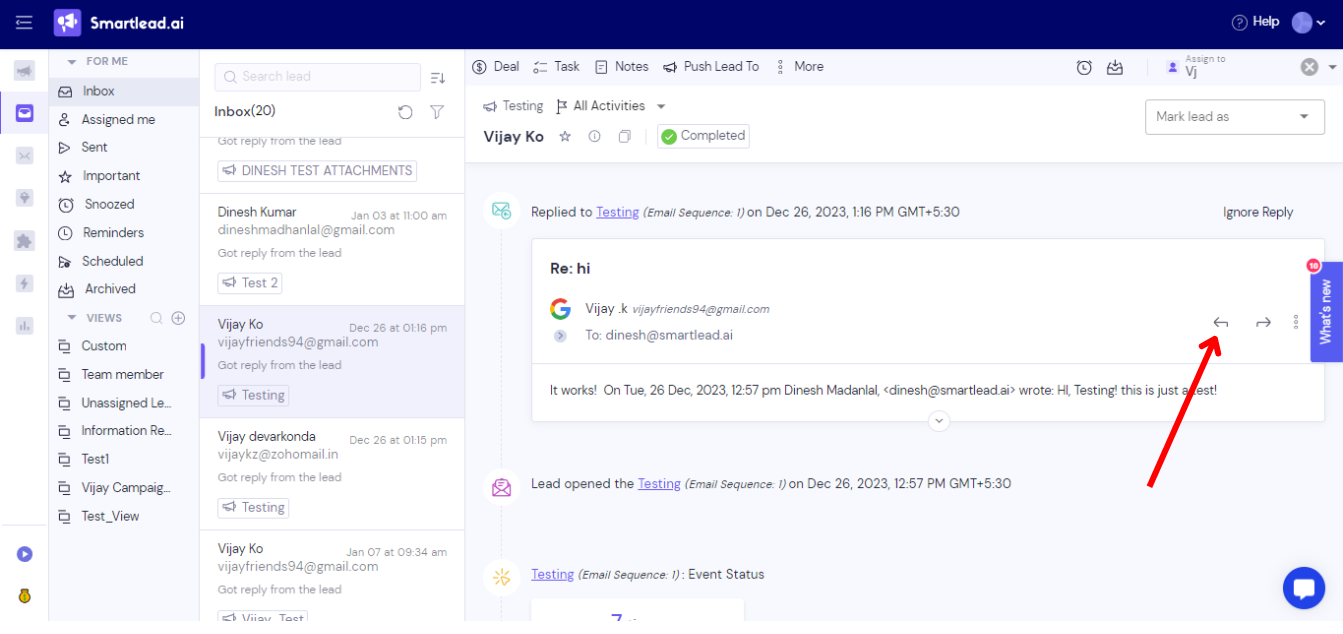
Step 2: Reply in the thread
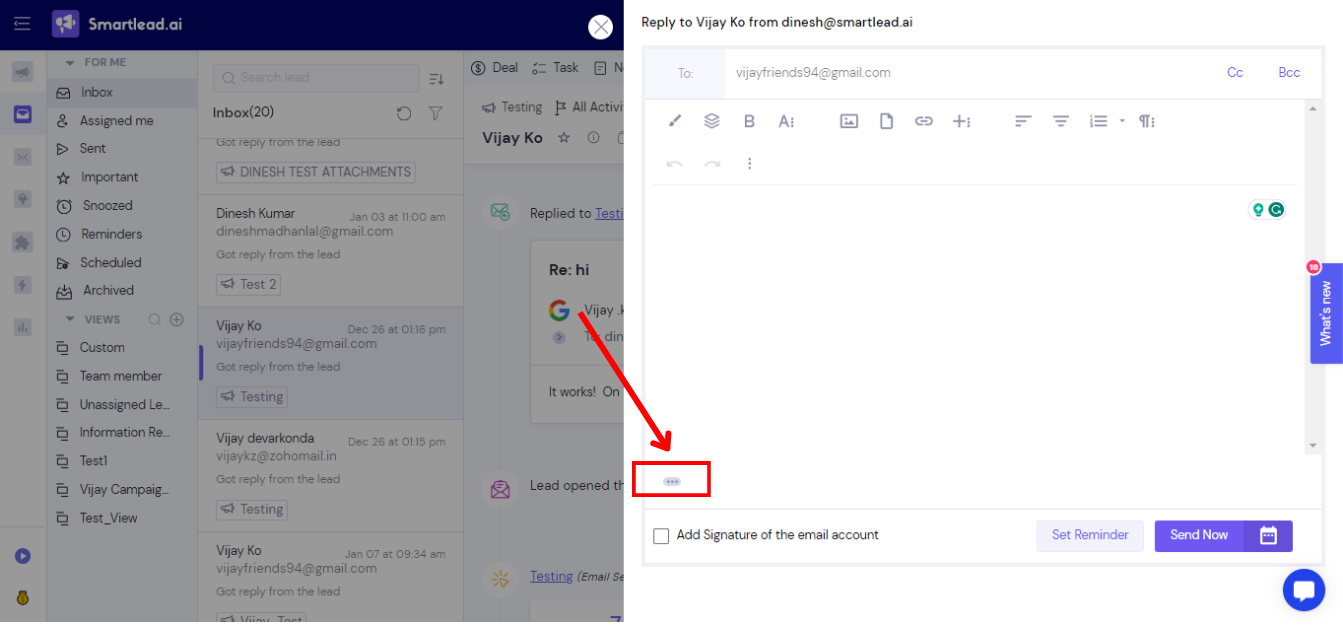
Open the reply window and write your reply.
To include your mailbox signature, tick Add Signature of the email account. It is off by default.
Click Send Now.
Your reply shows Email sending is in progress for a few minutes while it is queued, then it is sent.
Good to know
Replies sent from the Master Inbox have no open or click tracking.
If something goes wrong
Reply stuck on "in progress" for more than about 30 minutes: contact support with the lead's email and the campaign ID.
Signature missing although you ticked the box: contact support with the lead's email and a screenshot of the reply.
Still stuck? Contact support from the chat in your Smartlead dashboard.