
Using dedicated infrastructure for your email campaigns can significantly enhance email deliverability and protect your sending reputation. In Smartlead, SmartInfra assignment now lives in one place - the campaign's Settings tab - whether you're setting it up on a brand-new campaign or changing it on an existing one.
This guide walks you through it.
Key Notes
A campaign can use either Single SmartInfra or Multi SmartInfra, never both. You can assign up to 4 Single SmartInfra to one campaign, or 1 Multi SmartInfra bundle.
A single Single SmartInfra (or one Multi SmartInfra bundle) can be assigned to multiple campaigns, offering flexibility in resource utilization.
SmartInfra assigned to campaigns under one client cannot be shared with a different client.
Recommended max. sending volume is 80K-100K emails/month per server, so split volume across campaigns accordingly.
Assigning SmartInfra to a Campaign (New or Existing)
The steps are the same regardless of whether the campaign already exists or you're creating it for the first time.
Step 1: Open the Campaign
Log in to your Smartlead account.
For an existing campaign, go to Campaigns, then open the campaign you want to modify. For a new campaign, click Create Campaign and proceed through setup until you reach the campaign dashboard.
Step 2: Go to Delivery Optimization
In the campaign, click the Settings tab.
From the left-hand list, select Delivery Optimization.
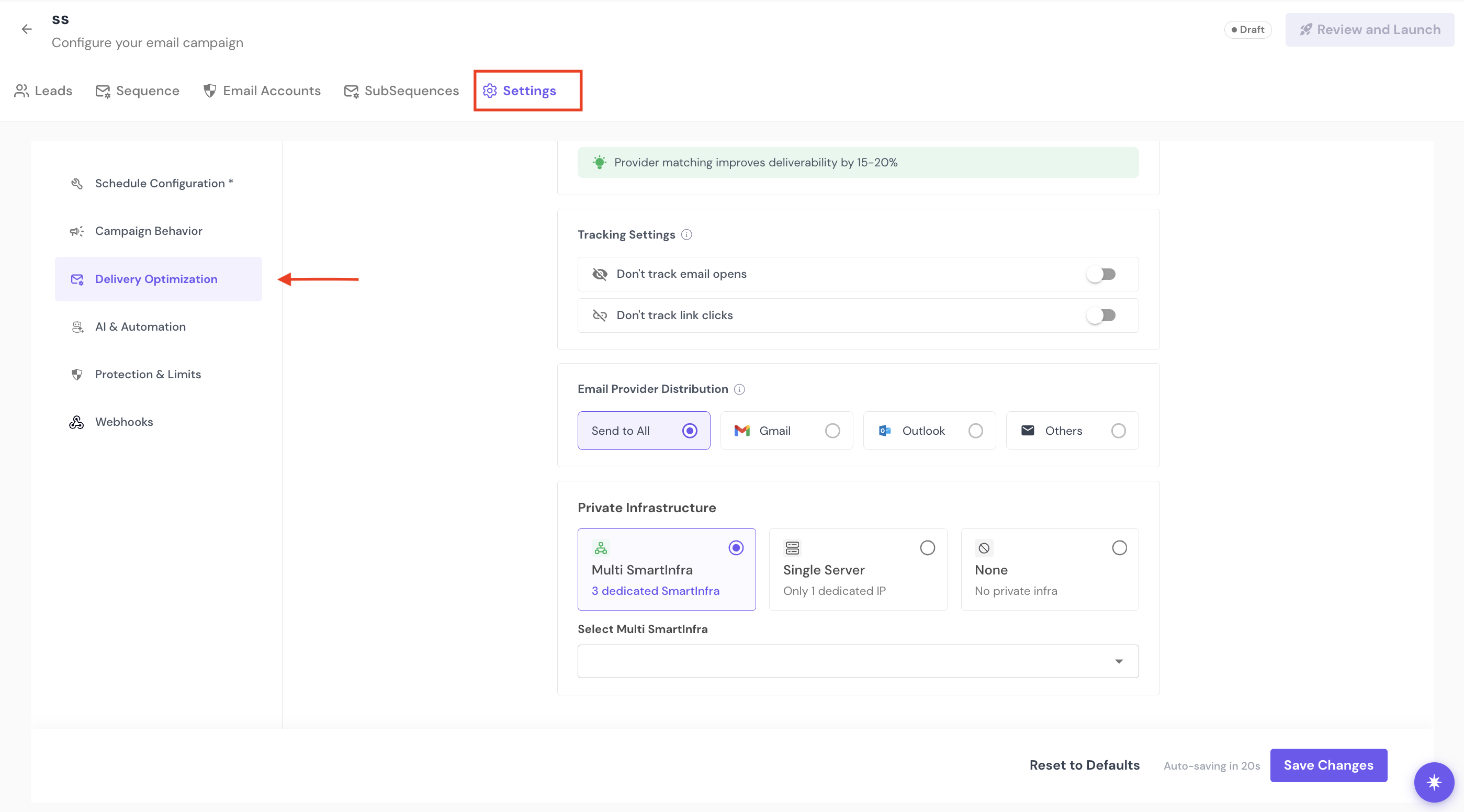
Step 3: Choose Your Private Infrastructure
Scroll down to the Private Infrastructure section.
Choose one of three options:
Multi SmartInfra — 3 dedicated, auto-rotating SmartInfra
Single Server — 1 dedicated IP
None — no private infrastructure (campaign sends on shared infrastructure)
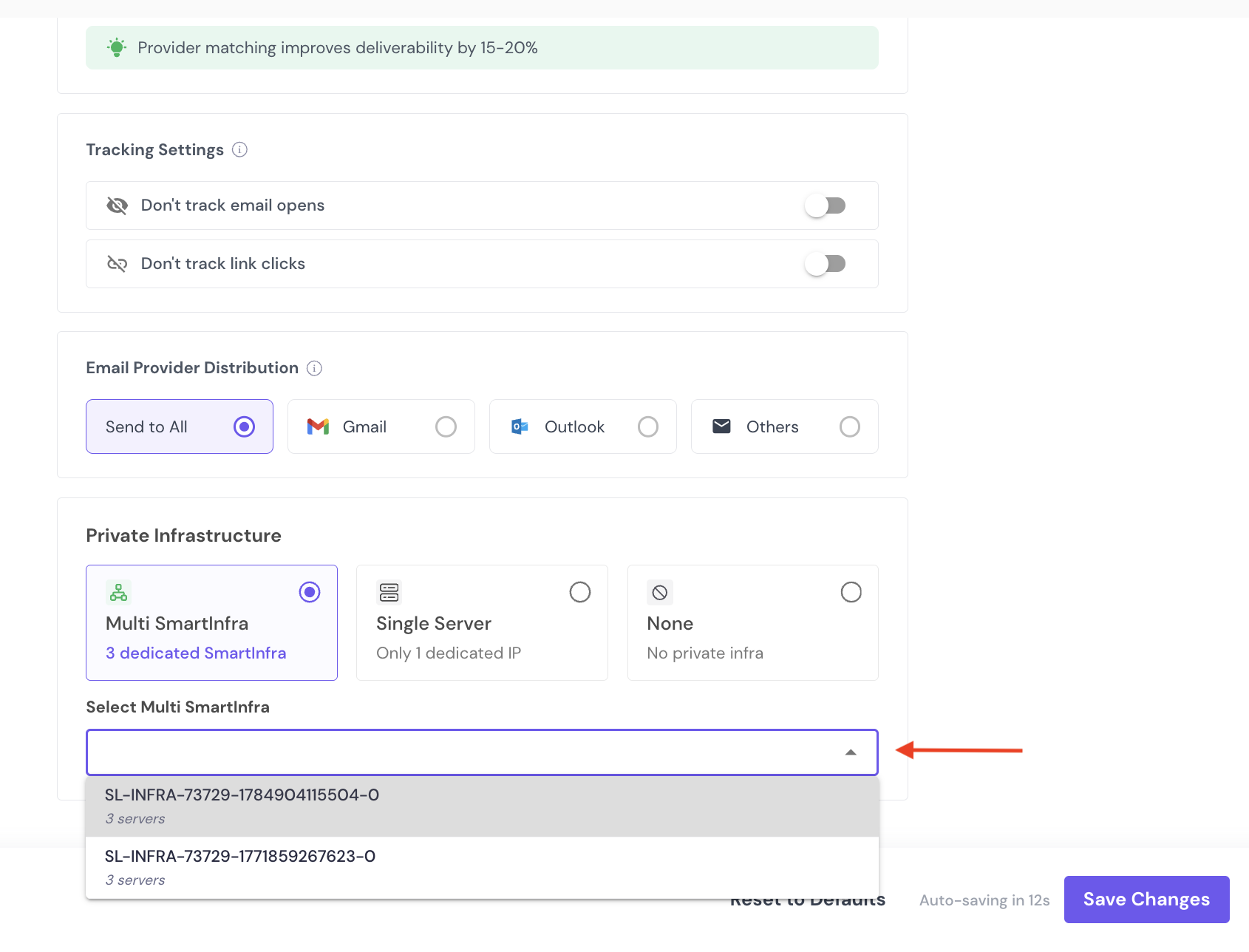
If you select Multi SmartInfra or Single Server, choose the specific SmartInfra to assign from the ones already purchased on your account.
Step 4: Save Your Changes
Click Save Changes at the bottom of the page to apply the assignment.
If you're changing an already-assigned campaign, the same panel lets you switch to a different SmartInfra or bundle.
Note: Bounce-rate auto-pause, which used to sit alongside server assignment, is now configured separately under the campaign's Protection & Limits tab.
By assigning SmartInfra to your campaigns, you ensure consistent performance and better control over email deliverability.