
Smartlead lets you assign SmartInfra to clients for exclusive use, keeping their email-sending infrastructure completely isolated from other clients.
This guide walks you through assigning SmartInfra to an existing client.
Steps to Assign SmartInfra to an Existing Client
Step 1: Navigate to Client Portal
Log in to your Smartlead account.
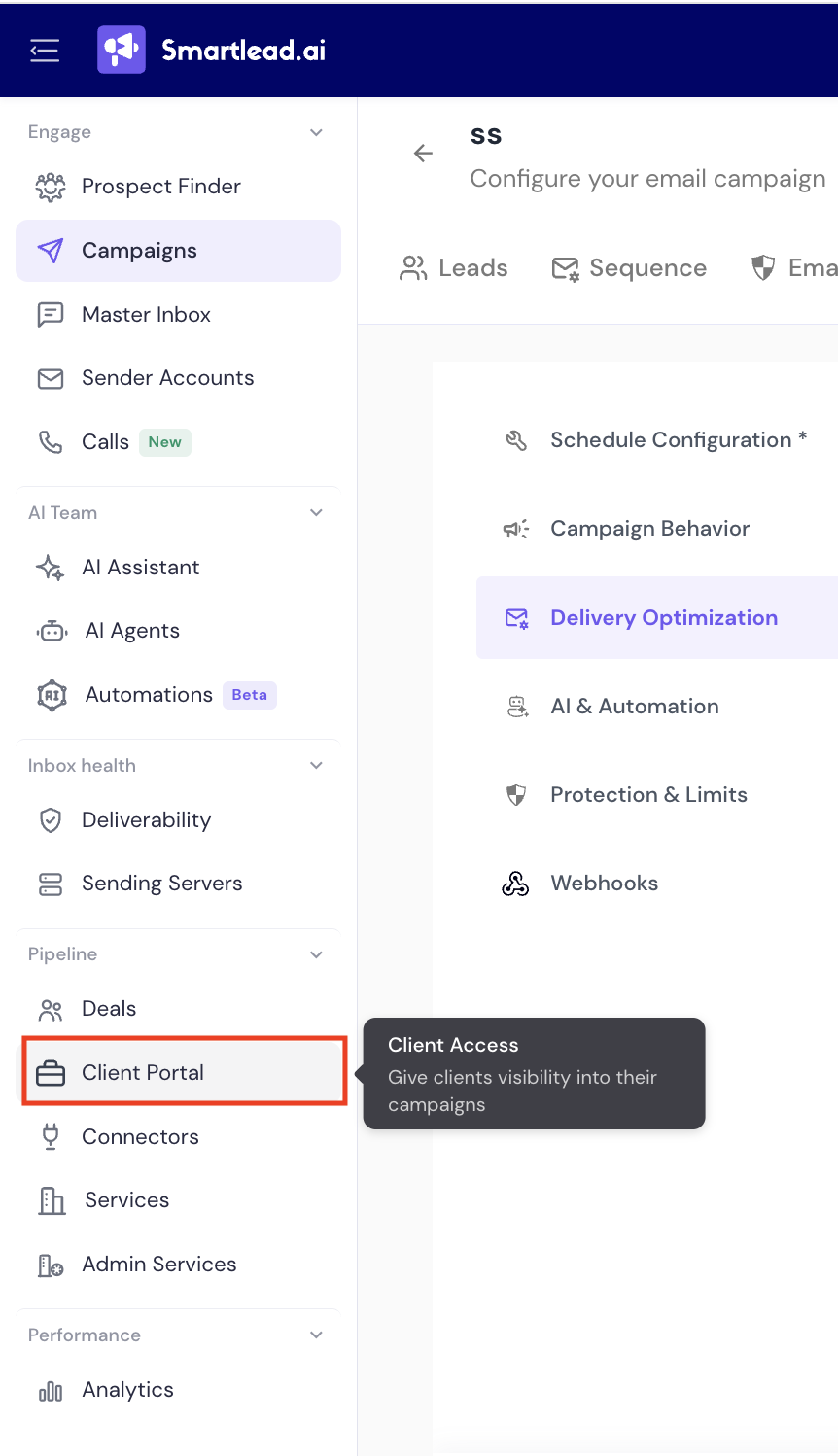
Click on Client Portal from the left-hand menu
Step 2: Select the Client
From the list of clients, choose the one you want to assign SmartInfra to.
Click on the client's name to open their settings.
Step 3: Assign SmartInfra
In the client's settings, scroll to the Private Infrastructure section.
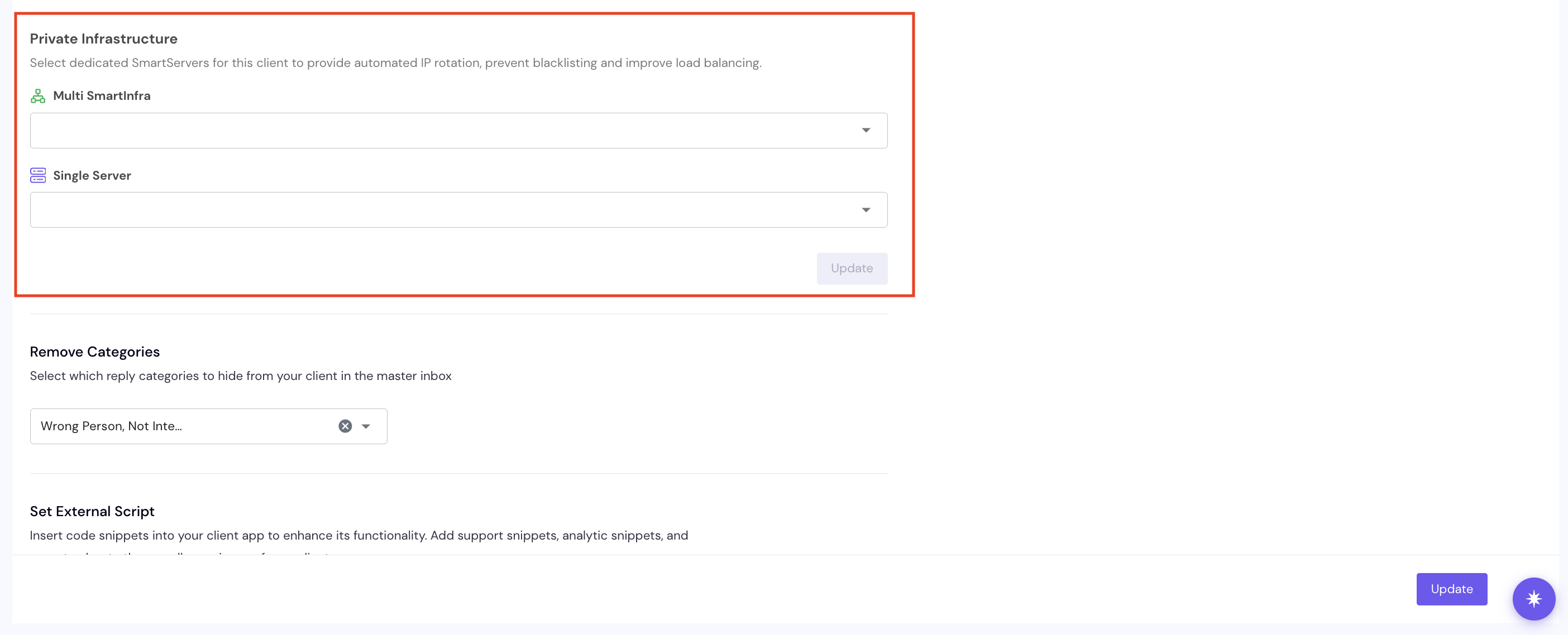
You'll see two drop downs:
Multi SmartInfra - select a bundle to assign
Single Server - select an individual dedicated server to assign
Click Update to save your changes.
Key Notes
Exclusive usage: once a SmartInfra (Single or Multi) is assigned to a client, it can't also be assigned to a different client.
No cap on multiples: a client can hold multiple Single SmartInfra, or multiple Multi SmartInfra bundles, with no limit.
Campaign-level flexibility: SmartInfra assigned to a client can still be allocated across multiple campaigns within that client's account.
Per the mutual-exclusivity rule for SmartInfra, a client should be on either Single SmartInfra or Multi SmartInfra, not both at once.