
Smart Funnel is Smartlead’s built-in CRM tool designed to help you manage leads and track deal progress - without ever leaving your outreach workflow.
Located under the Deals tab — grouped under the Pipeline section of your sidebar (you may still see “CRM” used as its legacy name in tooltips) - Smart Funnel gives you a visual, kanban-style board that’s tightly integrated with your Master Inbox. It helps you organize replies, prioritize follow-ups, and move leads toward closed-won - no spreadsheets or third-party CRMs required.
How to Access Smart Funnel
Log in to your Smartlead account
Click on the Deals tab, under Pipeline, in the left-hand sidebar
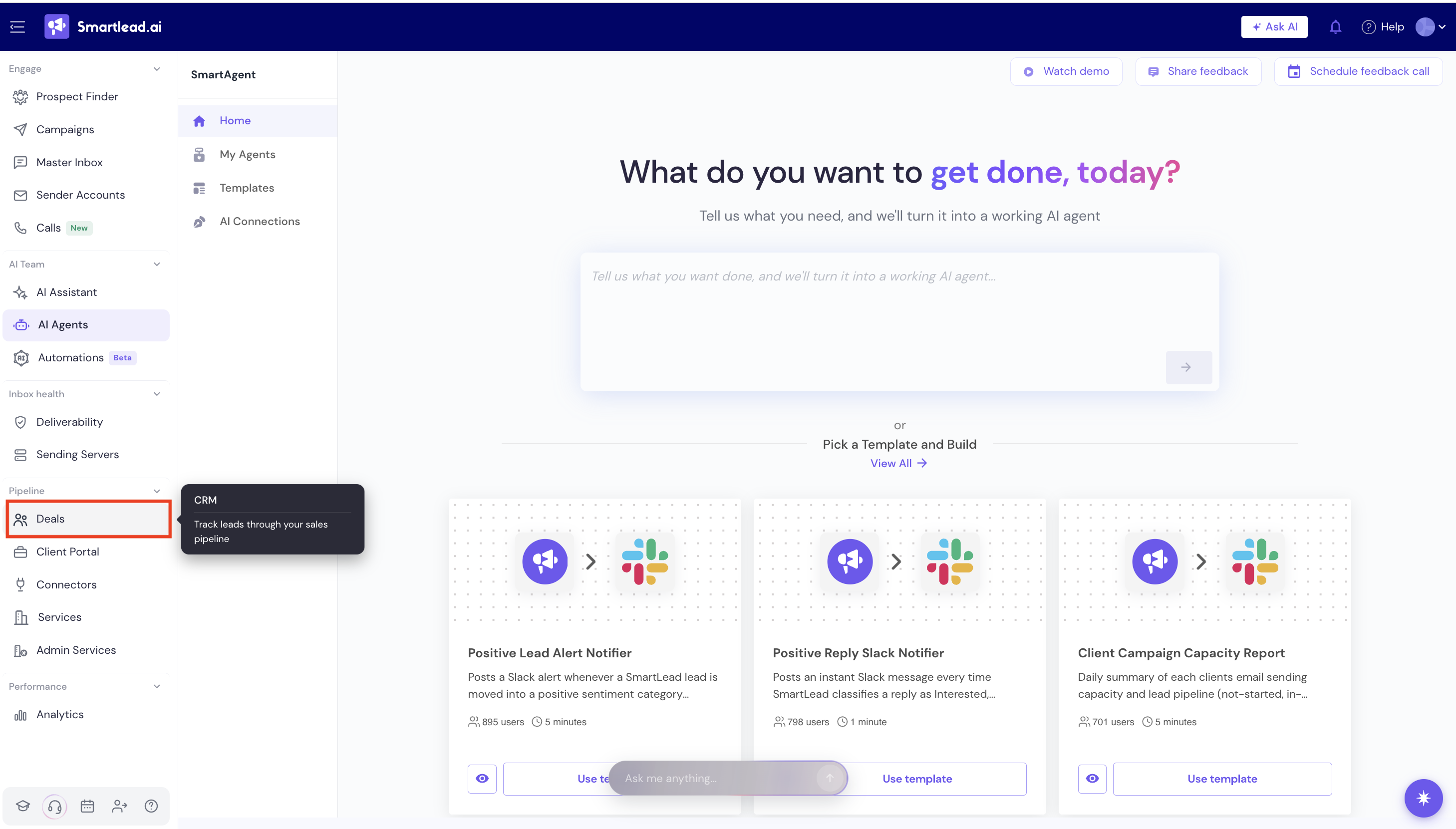
3. Select your preferred view (currently: Smart Funnel)
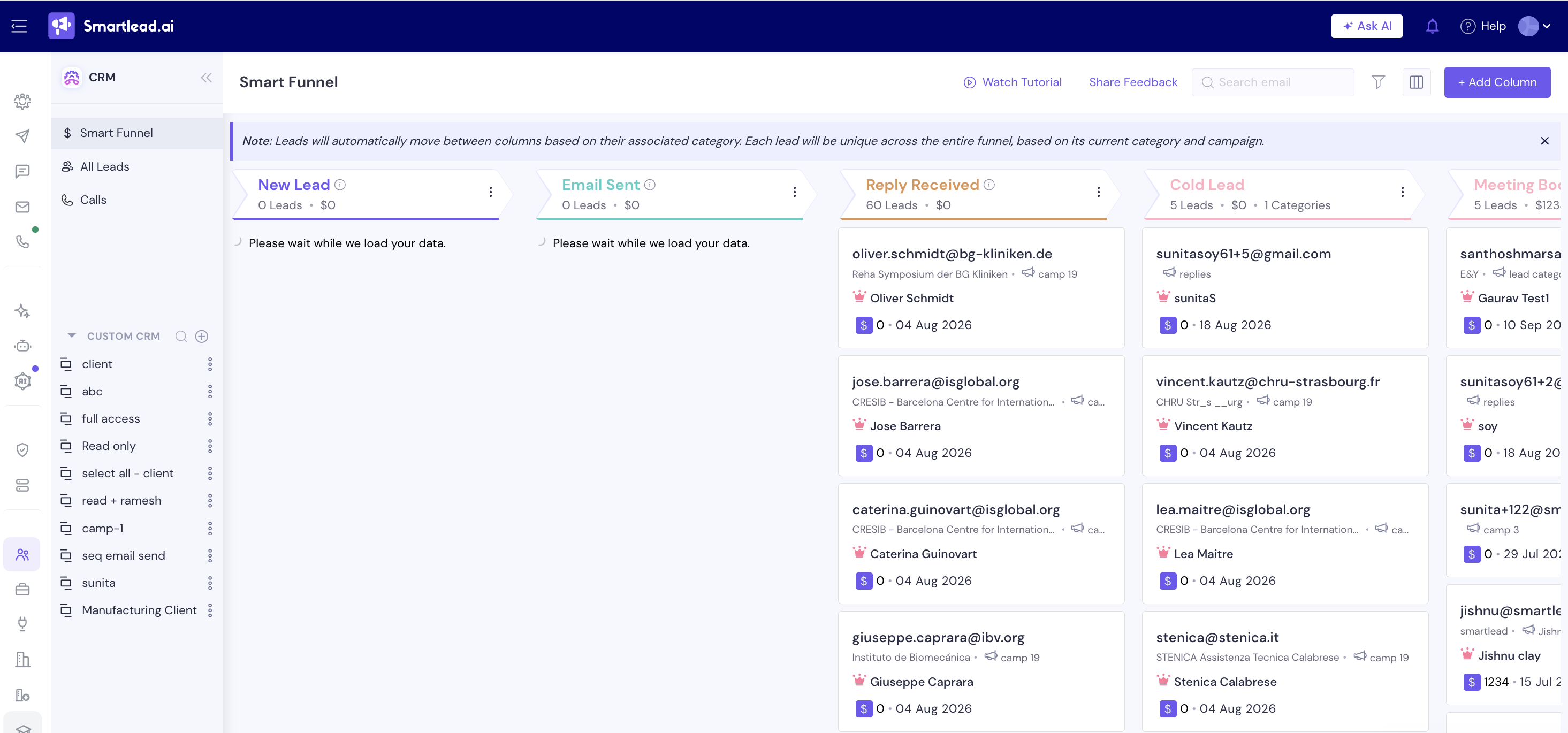
What You’ll See on the Dashboard
Kanban board view: A column-based layout for visualizing lead stages
System columns (default):
New Lead – All fresh leads
Email Sent – Leads contacted via campaigns
Reply Received – Leads who’ve replied to your emails
Custom columns: You can add stages like Interested, Meeting Booked, or any label tied to a lead category
Saved Views: Filtered board setups based on client, campaign, or workflow (more on that below)
Real-time sync: Moving a card updates the lead’s inbox category—and vice versa
Note: Alongside Smart Funnel, All Leads is now available as its own view in the sidebar - with separate Email Leads and Dialer Leads tabs - for a flat, filterable list of every lead outside the funnel board.