
If you manage multiple clients, campaigns, or workflows, Custom CRM boards help you stay organized and efficient.
With Custom CRM, you can create a dedicated board scoped to a campaign and/or client - and return to it anytime from the sidebar.
What Is a Custom CRM?
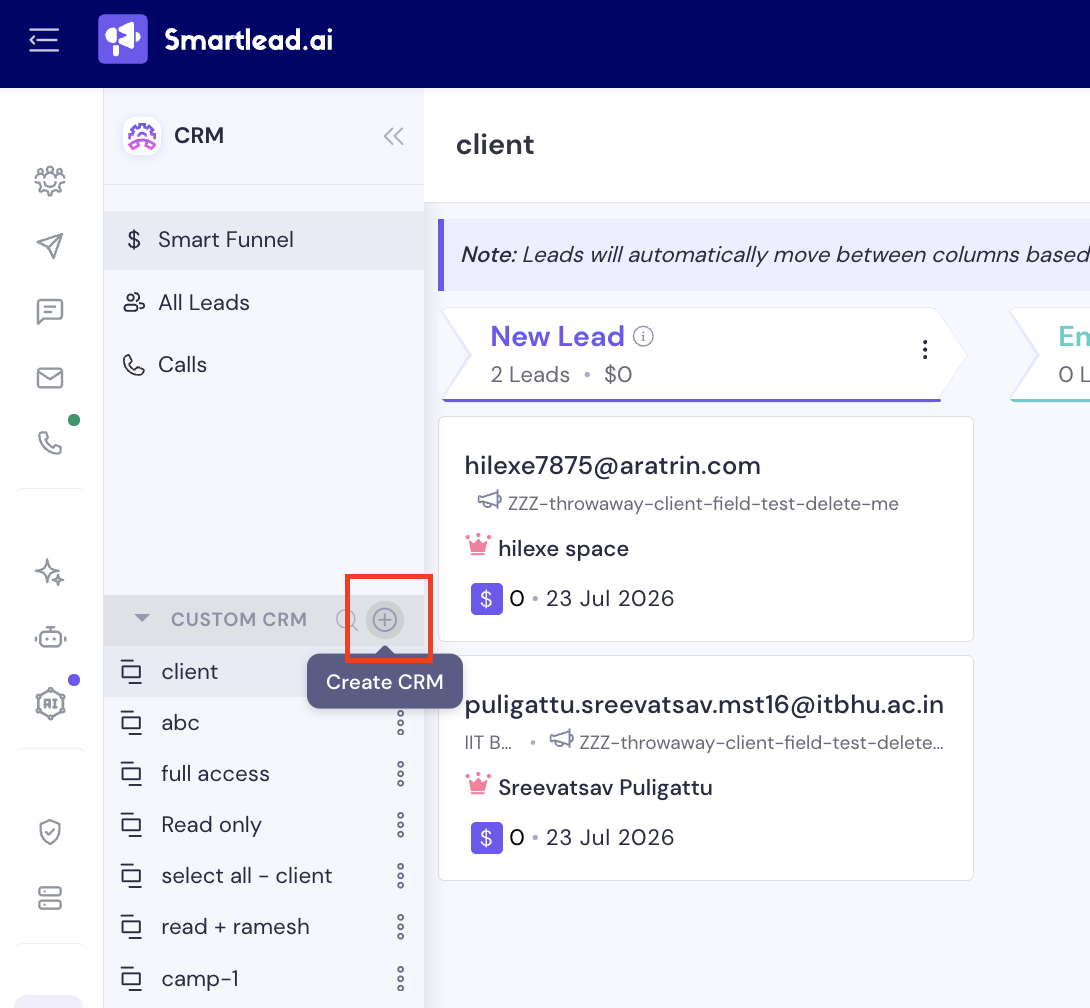
A Custom CRM is its own kanban board - laid out just like Smart Funnel - that appears under CUSTOM CRM in your CRM sidebar (below Smart Funnel, All Leads, and Calls). Each one is defined by:
A name you choose
The campaign(s) it’s scoped to
The client(s) it’s scoped to
Why Use Custom CRM?
Custom CRM boards are perfect for:
Keeping separate deal boards for different clients
Switching between campaign-specific pipelines
Running personalized sales workflows for each use case
How to Create a Custom CRM
In the CRM sidebar, click the + icon next to CUSTOM CRM
In the Create Custom CRM dialog, give it a CRM Name
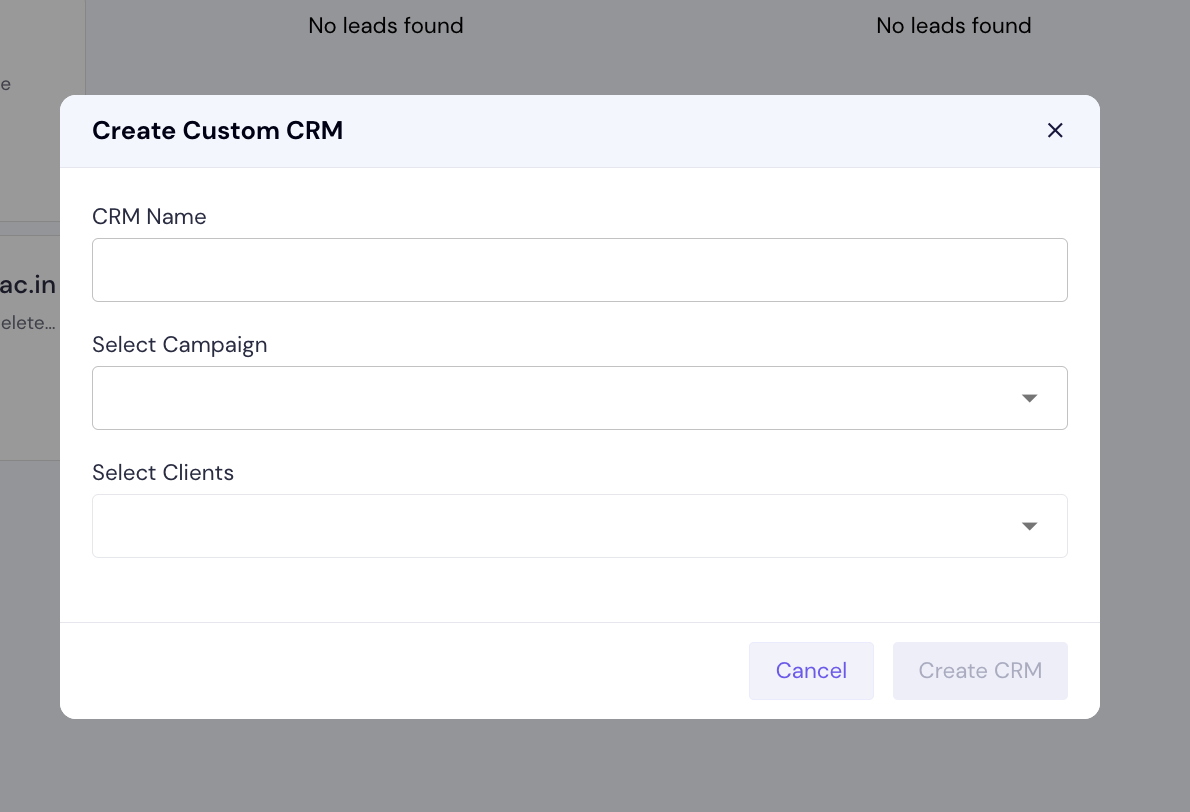
Optionally choose the Campaign(s) and Client(s) to scope the board to
Click Create CRM
Your new Custom CRM now appears in the sidebar list, ready to use just like your main Smart Funnel board.
Managing Your Custom CRMs
Every Custom CRM you create is listed under CUSTOM CRM in the sidebar - click any one to open it, or use the search icon next to the section header to find one by name.
Open the ⋮ menu next to any Custom CRM in the sidebar for further options (e.g. renaming)
Custom CRM helps you scale your pipeline across multiple clients and campaigns - without rebuilding your board each time.