
Overview
Duplicating a campaign in Smartlead helps you quickly copy an existing campaign—including all email sequences, settings, and subsequences—to save time and ensure consistency when launching similar campaigns.
Why Use Campaign Duplication?
Save Time: Avoid rebuilding campaigns from scratch by copying all configurations at once.
Maintain Consistency: Keep the exact same email sequences and subsequence settings without manual setup.
Scale Efficiently: Quickly launch new campaigns based on your proven workflows in earlier campaigns.
How to Duplicate a Campaign
Log in to your Smartlead account.
Go to Email Campaigns.
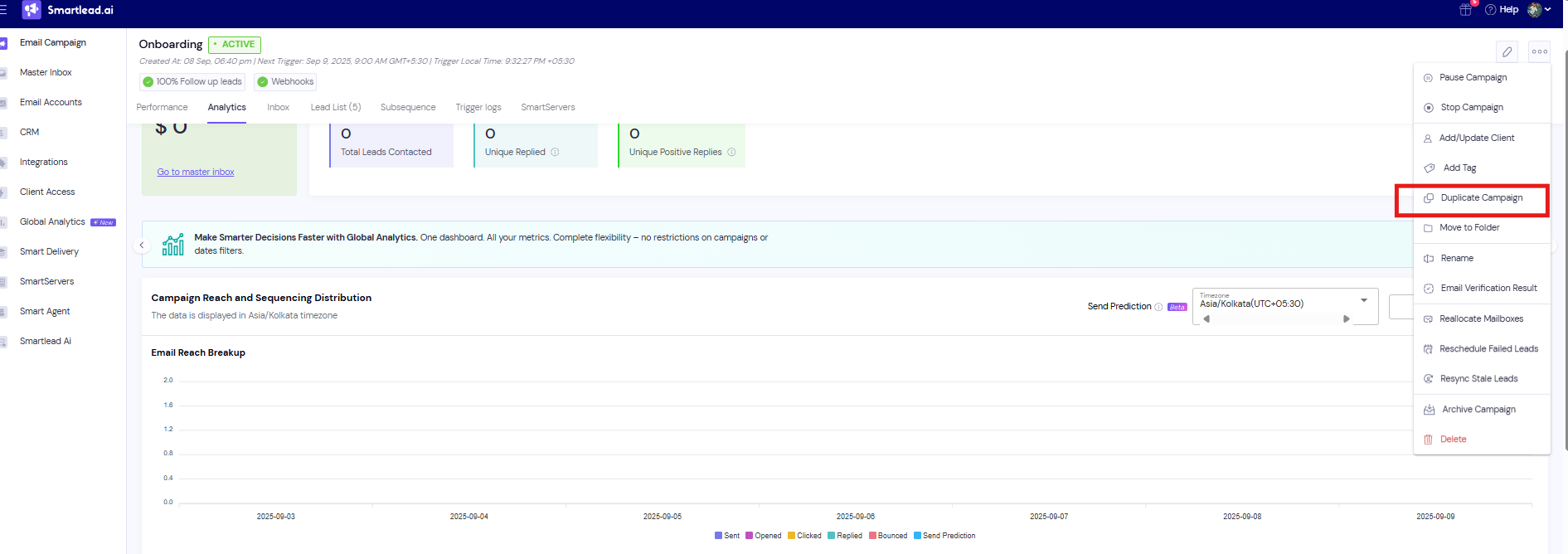
Find the campaign → click the three dots (⋯).
Select Duplicate.
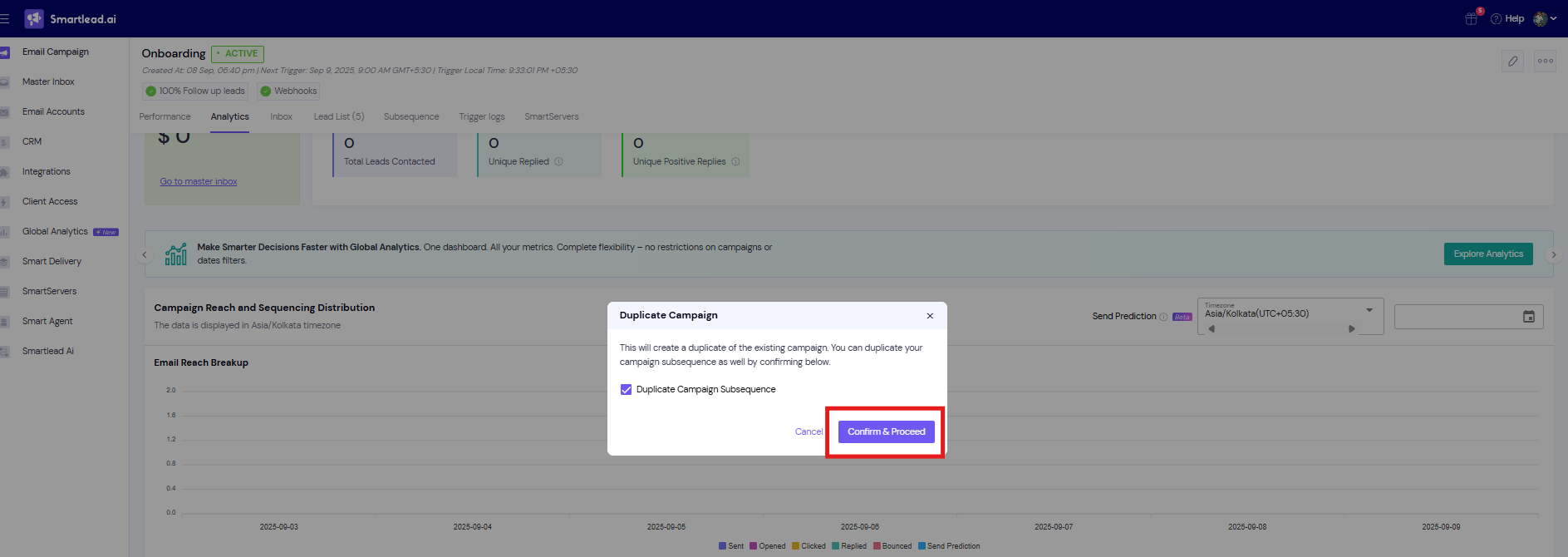
In the pop‑up, choose whether to copy subsequences by ticking the option.
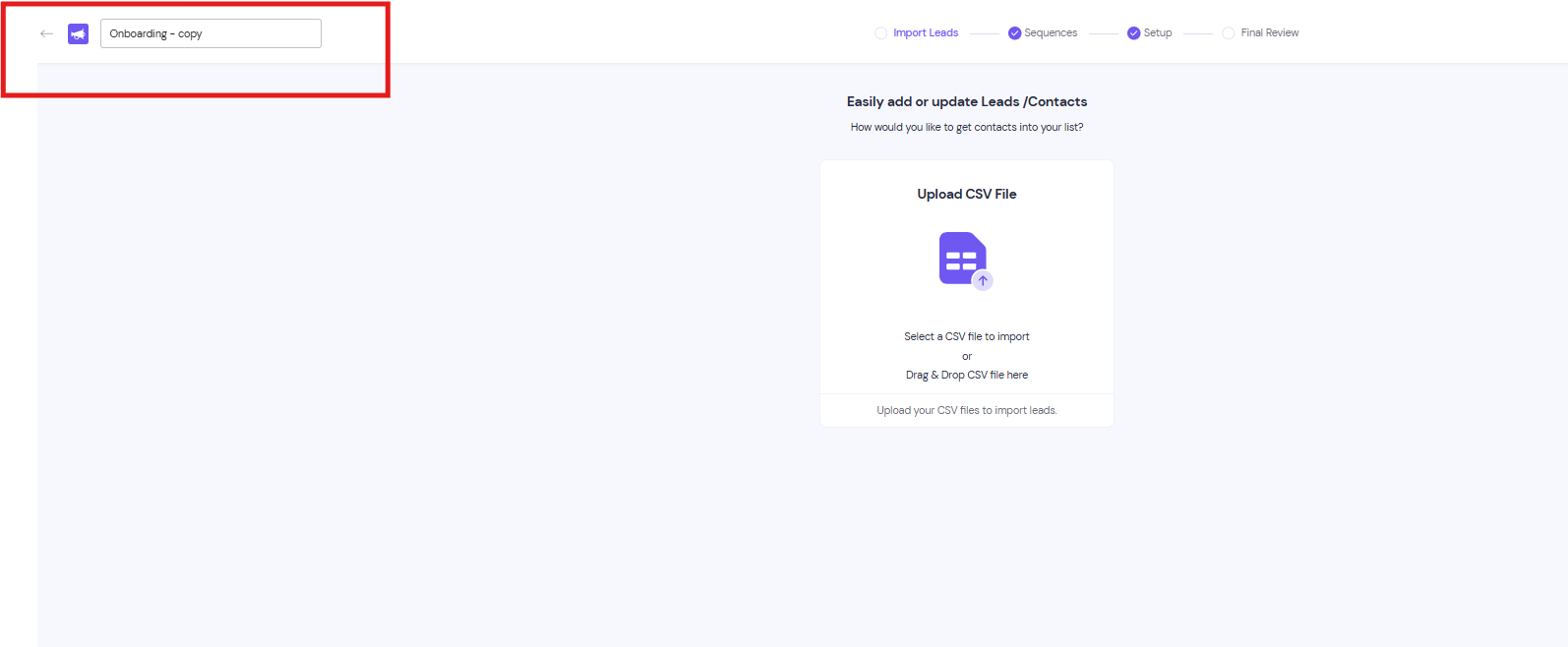
A new campaign is created with the same settings — rename if needed.
What Is Included in the Duplication?
All email sequences and subject lines
Campaign settings and schedules
Subsequence configurations and automation rules
Note: The lead list and campaign performance data are NOT duplicated. You’ll need to upload a new lead list to the duplicated campaign.
After Duplicating
Rename the campaign if needed for clarity.
Upload new leads for the duplicated campaign.
Review and update any personalization variables or content specific to the new target audience.
Test your campaign setup before activating.
Pro Tips:
Always rename your duplicated campaign to avoid confusion and keep your workspace organized.
Upload a fresh lead list tailored to your new target audience to maximize engagement.
Review and update personalization tokens to make your emails relevant and increase response rates.
Test the entire sequence before activating to catch any errors or outdated content.
Leverage subsequence duplication to keep complex automation intact without manual effort.
FAQs
Q: Can I duplicate a campaign with all its subsequences?
A: Yes, when you duplicate a campaign in Smartlead, all subsequences and their settings are copied automatically. This ensures your new campaign is an exact replica without manual reconfiguration.
Q: Will the leads from the original campaign be copied as well?
A: No, lead lists are not transferred during duplication. You will need to upload a new set of leads to the duplicated campaign.
Q: Can I edit the duplicated campaign before activating it?
A: Absolutely. The duplicated campaign starts in draft mode, allowing you to rename it, modify email content, update variables, and upload new leads before sending.