Distinguishing real human engagement from automated security checks helps you measure true performance and avoid false positives. Many Email Service Providers (ESPs) run security bots that pre-scan incoming emails for spam, malware, and phishing. These bots "open" and sometimes "click" links within seconds to a minute of delivery.
Use the steps below to export Inbox events and compare timestamps to identify likely bot activity.
Go to Inbox
Open Smartlead and navigate to the Inbox tab for the campaign or mailbox you want to analyze.
Export events as CSV
In the top right of Inbox, choose Download as CSV.
Save the file locally.

Open the CSV in a spreadsheet tool
Excel, Google Sheets, or another CSV viewer.
Compare key timestamps
Find or add the following columns if available in your export:
Sent time
Open time
Click time (if applicable)
For each email, calculate the time difference:
Open delta = Open time − Sent time
Click delta = Click time − Sent time
Flag likely bot activity
If Open delta is 0 to ~60 seconds, it is likely an ESP bot open.
If Click delta is 0 to ~60 seconds, it is likely an ESP bot click.
If both open and click occur within the first minute, with no later repeat actions, this further suggests bot behavior.
Security systems operated by ESPs and corporate gateways prefetch and sandbox email content to protect recipients. They may retrieve images and follow links automatically. These actions register as "opens" and "clicks," even though no person interacted with the email.
Focus on downstream human signals
Replies, manual unsubscribes, later re-opens (hours or days later), and multi-click sessions are more likely human.
Look for timing clusters
Human opens often occur during working hours and vary by recipient timezone. Bot opens cluster within the first minute of delivery.
What threshold should I use to label a bot open?
A conservative starting point is within the first 60 seconds after sent time. Some teams use up to 2 minutes depending on their sending infrastructure and observed latencies.
Can bots click links too?
Yes. Link prefetching and sandboxing can register as clicks, often within the first minute of delivery.
Are all instant opens bots?
Not always, but most likely. A small number of recipients may open very quickly. Look for corroborating human signals like later re-opens, multiple clicks, or replies.
Can I filter bot opens directly in Smartlead?
Use the CSV export and the workflow above to analyze patterns. If you need help building a repeatable report, reach out to your team to set up a process in your analytics tool or data warehouse.
What if my CSV doesn’t show sent or open times?
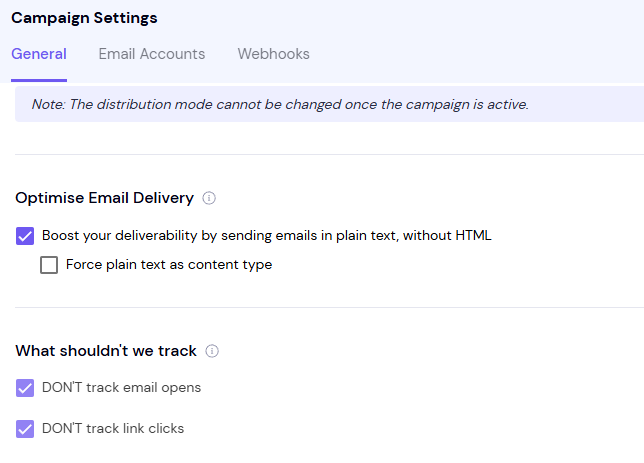
Check your campaign settings if it’s not sending in plain text or if open/click tracking is disabled: