
What is the Smartlead CLI?
The Smartlead CLI (Command Line Interface) lets you manage your Smartlead account directly from the terminal. Instead of logging into the dashboard, you can run commands to handle campaigns, leads, mailboxes, analytics, and more - all from your command line or automated scripts.
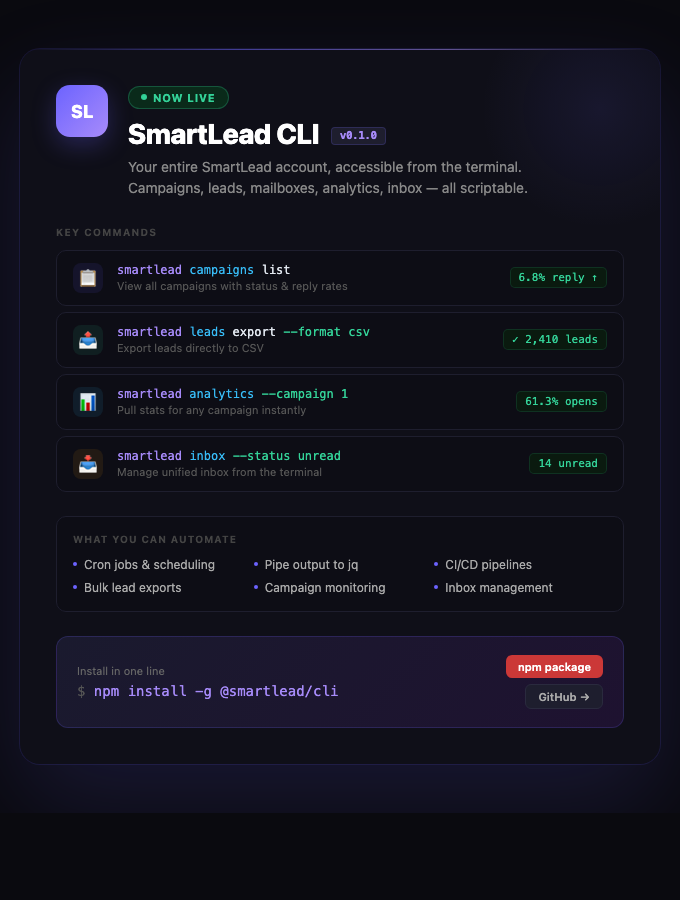
It's available as an open-source tool on npm and GitHub.
CLI vs. MCP — What's the Difference?
Smartlead offers two ways to interact with the API programmatically:
The MCP (Model Context Protocol) server is built for AI assistants like Claude or Cursor. It lets AI tools call Smartlead APIs within a conversation - it's conversational.
The CLI is built for humans and scripts. Use it for bash automation, cron jobs, CI/CD pipelines, or piping data into other tools. It's scriptable and works great with Claude Code.
They complement each other - you don't have to choose one over the other.
What You Can Do with the CLI
Manage campaigns, leads, email accounts, and webhooks
Pull analytics and stats across campaigns
Export leads as CSV
Manage your unified inbox - reply, forward, and categorize messages
Search prospects and find email addresses
Pipe output to jq, spreadsheets, or other tools
Automate workflows with cron jobs and shell scripts
How to Install Smartlead CLI?
You'll need Node.js installed on your machine. Then run:
npm install -g @smartlead/cli
This installs the CLI globally so you can use it from anywhere in your terminal.
Resources
npm package: https://www.npmjs.com/package/@smartlead/cli
GitHub (source code + documentation): https://github.com/Smartlead-Public/smartlead-cli
Need Help?
If you run into issues, check the GitHub repository for detailed documentation and usage examples. You can also reach out to Smartlead support.