A custom tracking domain makes the open-tracking, click-tracking and unsubscribe links in your emails use a subdomain you own, instead of Smartlead's shared tracking domains.
You set it up for each mailbox. You add one CNAME record at your DNS provider, then enter the subdomain in the mailbox's settings.
A domain you own, and access to its DNS settings.
A subdomain to use for tracking, for example emailtracking.yourdomain.com.
Go to Sender Accounts and click on the mailbox you want to add tracking to.
On the General tab, scroll to Custom tracking domain.
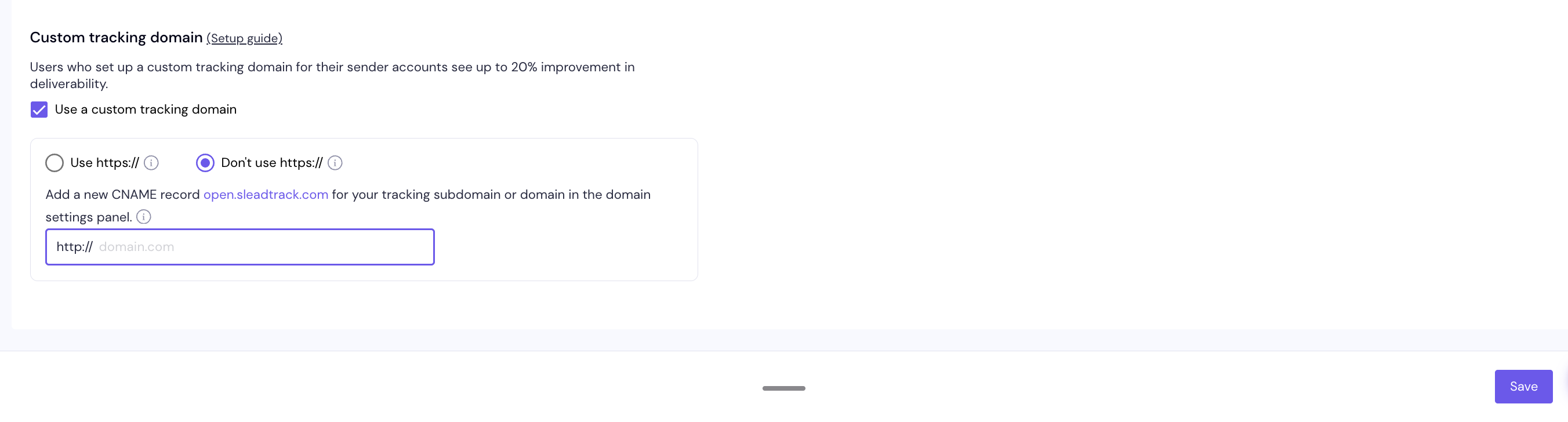
Tick Use a custom tracking domain.
Choose how your tracking links work:
Use https://: links use https, through Smartlead's SSL propagation. This helps deliverability and security.
Don't use https://: links use the standard http tracking domain, without SSL propagation.
The section then shows the CNAME value to use. Use https:// only appears if your plan includes it.
Open your domain provider, for example GoDaddy or Namecheap, and go to its DNS management.
Add a CNAME record with these values:
Type:  CNAME
Host:  emailtracking         (your tracking subdomain)
Value: open.sleadtrack.com   (if you chose Don't use https://)
Value: app.sleadt.com        (if you chose Use https://)
TTL:   Automatic
You can also see these values in Smartlead. Hover the info icon next to the CNAME instruction in the Custom tracking domain section.
DNS changes can take up to 48 hours to propagate.
Back in Custom tracking domain, type your tracking subdomain, for example emailtracking.yourdomain.com.
Click Check Status.
Click Save.
Type only the subdomain. The field shows http:// or https:// in front of it for you, based on your choice in Step 1. After the check, a status badge shows whether the CNAME and SSL are verified.
The setting is per mailbox. Repeat these steps for each mailbox that should use your tracking domain.
You can use one tracking domain for many mailboxes. Enter the same tracking subdomain on each mailbox, or set it on many at once with Bulk Update. Keep in mind that if that domain gets blacklisted, every mailbox using it is affected.
https is set one mailbox at a time. Bulk Update can set the tracking domain, but it can't switch mailboxes to https.
The verified status is only refreshed when you click Check Status or save the mailbox. Nothing re-checks it on a schedule.
Check Status doesn't verify. The CNAME is missing, points somewhere else, or hasn't propagated yet. Make sure the host points to open.sleadtrack.com (http) or app.sleadt.com (https). Wait up to 48 hours, then click Check Status again.
The saved domain ends with a dot. Re-enter the subdomain without the trailing dot, click Check Status, then Save.
Still stuck? Contact support from the chat in your Smartlead dashboard.