
Smartlead custom tracking domain enables you to monitor and analyze email engagement using your own domain, improving email deliverability and campaign performance. Follow these steps to set it up and ensure accurate tracking:
Tracking email opens and clicks involves embedding a small HTML snippet. While this is standard practice, shared tracking URLs across thousands of campaigns can negatively impact deliverability.
The solution is simple: mask the tracking URL with your own custom domain.
Step 1:
Add a new email account / open an existing email account within smartlead. Scroll down to Custom tracking domain
Step 2:
Open your domain management tool e.g Godaddy, Namecheap, Crazydomains etc
Head over to the DNS management section
In your Host Records section add in a CNAME with the following:
Type: CNAME Record
Host: emailtracking
Value: open.sleadtrack.com
TTL: Automatic
Once this is done, wait for 30 mins to 24 hour to be bubbled to your account.
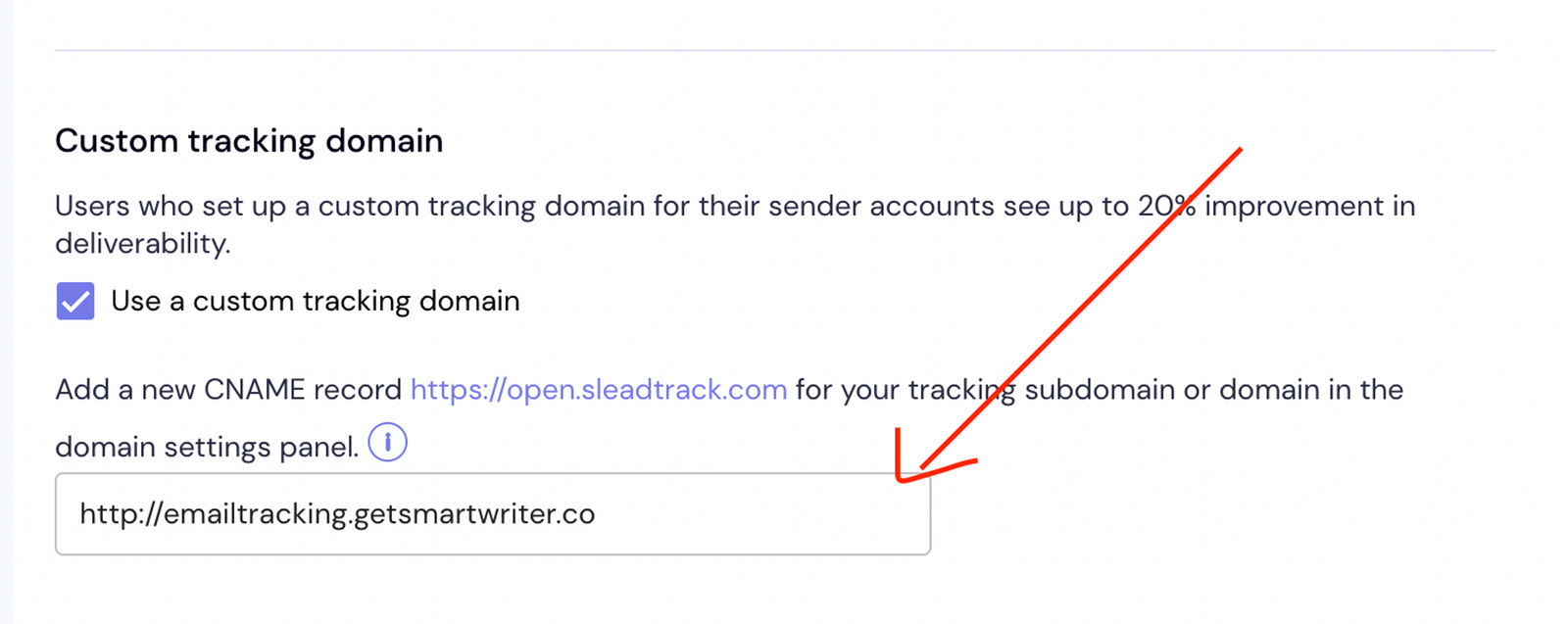
Now head over to your app and paste the full url into the text field like below in this format
http://{host}.{yourdomain}
In my case my domain is [getsmartwriter.co](http://getsmartwriter.co) and my host is emailtracking
Verify Your CNAME Tracking
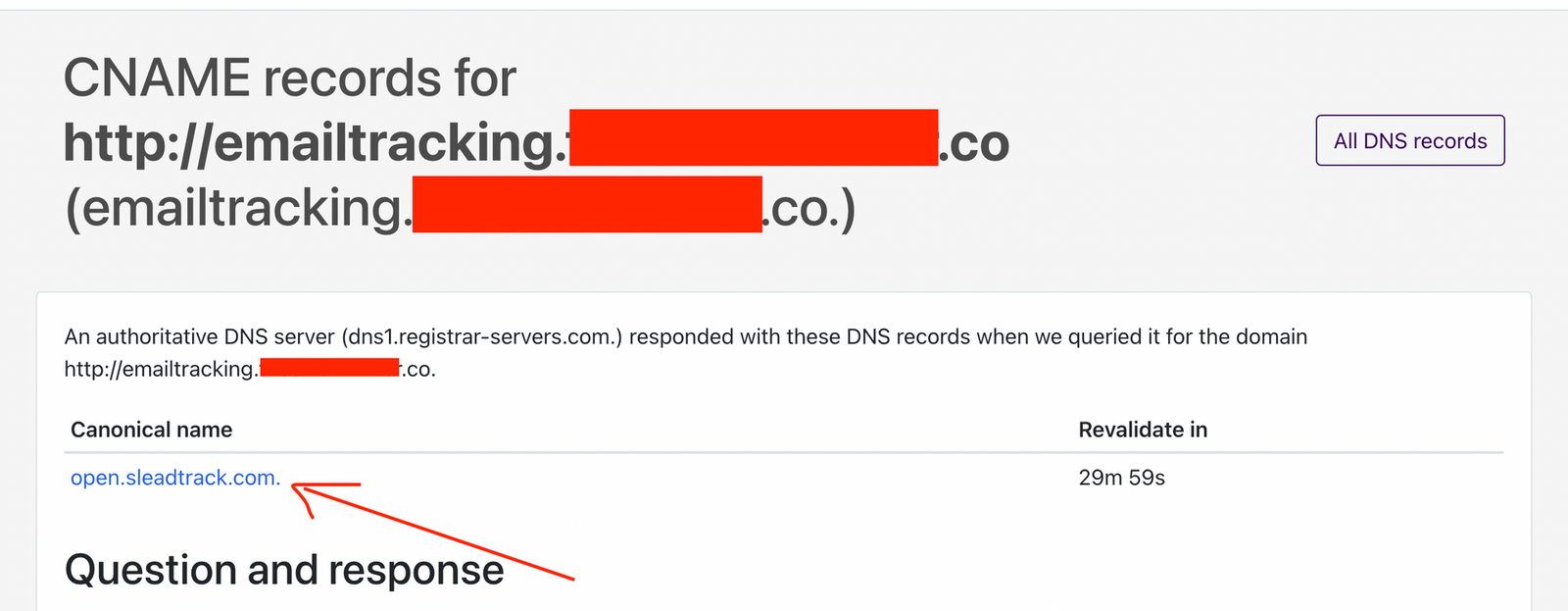
If you’ve done thing’s right. Click on the “Verify CNAME” button. It’ll take you to a nslookup.io link.
If underneath the “Canonical name” it says “**open.sleadtrack.com**”, then you did it right.
Domain Tracking Tips for Better Deliverability
Combined tracking / Account level Tracking
If you have an aged domain, or a domain with good reputation, you can use that single domain for tracking, instead of setting up a custom tracking per email domain.
For e.g, if you have a well reputed / old domain named smartlead.com, you can do the CNAME process (listed above) to that domain and use [emailtracking.smartlead.com](http://emailtracking.smartlead.com) across all the mailboxes in your Smartlead account.
So [email protected], [email protected] etc will all have tracking point to emailtracking.smartlead.com
This works well if you’re working with clients too, where you can condense tracking to a single domain.
Individual Tracking
If you’re running experiments, starting off fresh or want to build up the authority across multiple domains you can set up individual tracking per domain. Unlike the above configuration where a common tracking is shared across all your mailboxes, in this case you can have it siloed per account.
Using the above example:
For v@[usesmartlead.com](http://usesmartlead.com) the usesmartlead.com domain will need to have a CNAME configuration for emailtracking pointing to open.sleadtrack.com
For [email protected] the getsmartlead.com domain will need to have a CNAME configuration for emailtracking pointing to open.sleadtrack.com
Setting up a Smartlead custom tracking domain is an essential step for accurate email engagement tracking and improved deliverability. By masking your tracking URL with your own domain, you can avoid deliverability issues caused by shared tracking across campaigns, while maintaining tracking accuracy.