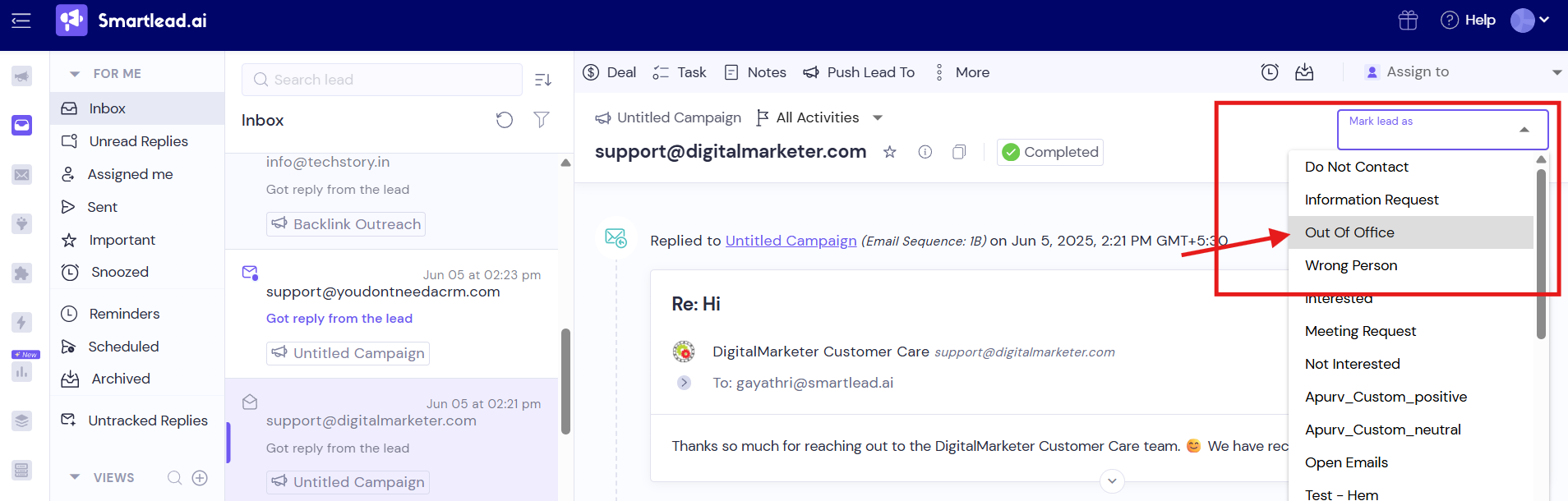
If you get an Out Of Office response, you can mark them as Out Of Office from the master inbox.
You'll now be shown an option to "ignore this reply" - if selected, it will ignore this reply from your reply rate tracking.
As a result improving your overall analytical accuracy!
Steps to follow:
Master Inbox » Click on the particular reply » Click on Mark lead as on the top right corner of the screen » From the drop down menu, select Out of Office.