Each lead has one status in each campaign. The status tells you where the lead is in the sequence and whether Smartlead will email it again.
You see the status in the campaign's Lead List, and you can filter the list by status.
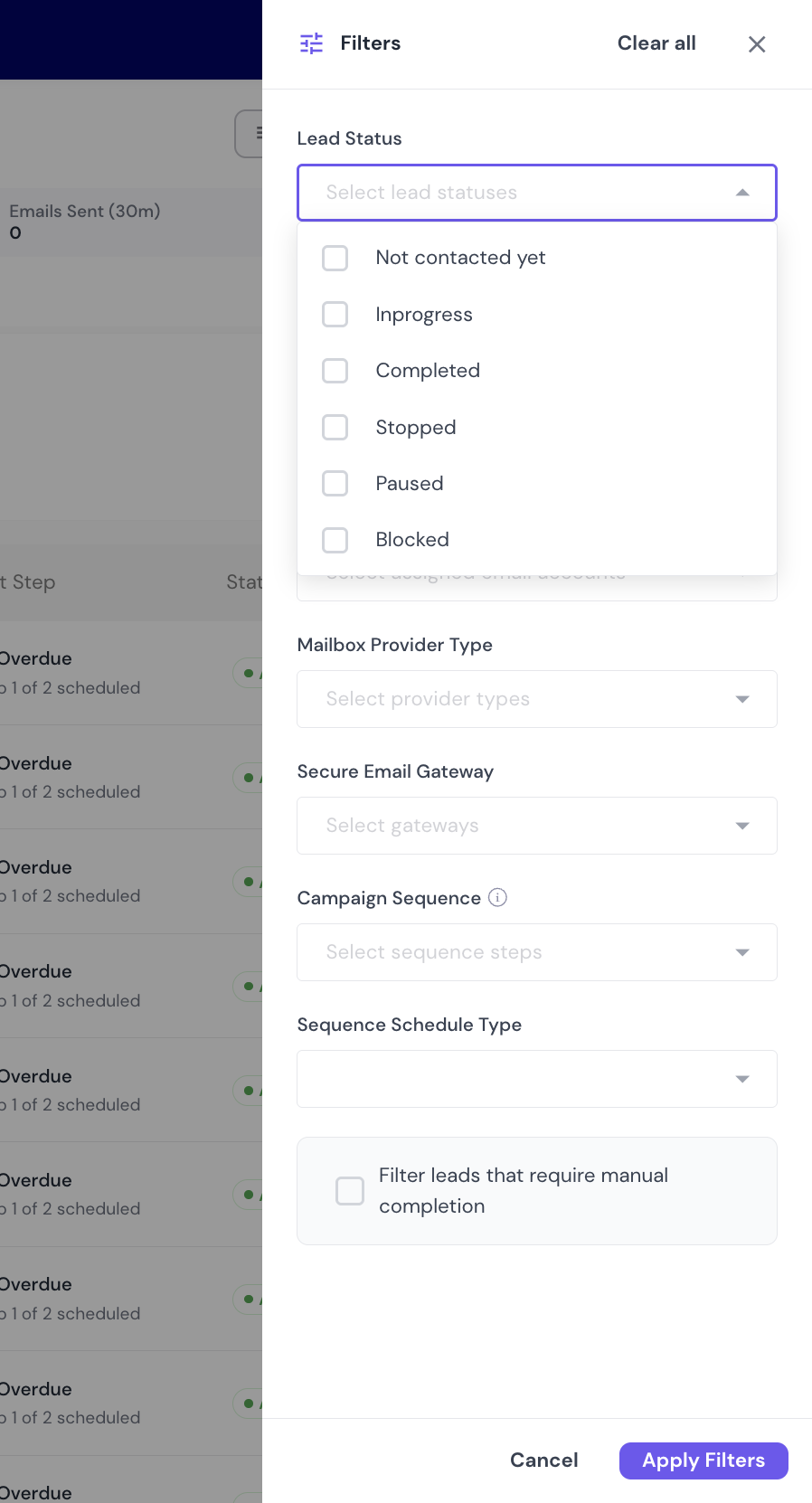
The lead hasn't been sent the first step yet. Leads waiting for their first scheduled email also show this status. There is no separate "Scheduled" status.
At least one step has been sent to the lead. In the status filter, this shows as Inprogress.
The lead replied, or the lead finished every step in the sequence.
You or a teammate paused the lead in this campaign. Pausing only affects this campaign. It does not unsubscribe the lead.
Smartlead stopped the sequence for one of these reasons:
The lead replied in the parent campaign.
Sending failed, and still failed after a retry.
Data the lead needs for the sequence is missing.
The address bounced, the lead unsubscribed, or the lead was added to your block list. A blocked lead is not emailed again in that campaign.
Filter by status to find leads that need action. For example, find Stopped leads after you fix a sending problem, or Paused leads you want to start again.
Only two statuses get emails. Smartlead only sends to leads that are Not contacted yet or In progress.
Statuses change on their own as leads move through the sequence.
To pause or resume one lead, open the campaign's Lead List, click More Actions (⋮) on the lead's row, then Pause Sequence or Resume Sequence. You can resume Paused and Stopped leads.
Paused is something you do yourself. Stopped is set by Smartlead after a parent-campaign reply, a failed send or missing lead data.
No. Completed also covers leads that finished every step without replying.
Blocked. Unsubscribes, bounces and block-list entries all show as Blocked, not Stopped.
Check the lead's activity log. See How to Use Lead-Level Activity Logs in Smartlead.
