When Smartlead blocks warmup on a mailbox, the mailbox stops sending and replying to warmup emails until you fix the cause and unblock it. The block always has a reason, and the fix depends on that reason.
Go to Sender Accounts and click Filter.
Under Warmup, choose Include and Warmup Needs Attention, then click Apply.
Open a mailbox from the list and go to its Warm Up tab. The banner shows the error that was picked up.
Reconnect first, then unblock. If you unblock without reconnecting, warmup is blocked again.
Open the mailbox and go to Attention Required.
For Google or Microsoft, click Reactivate Account and sign in again. For SMTP mailboxes, click Update Password, change the password on General and click Save.
Unblock the mailbox. See "Unblock a mailbox" below.
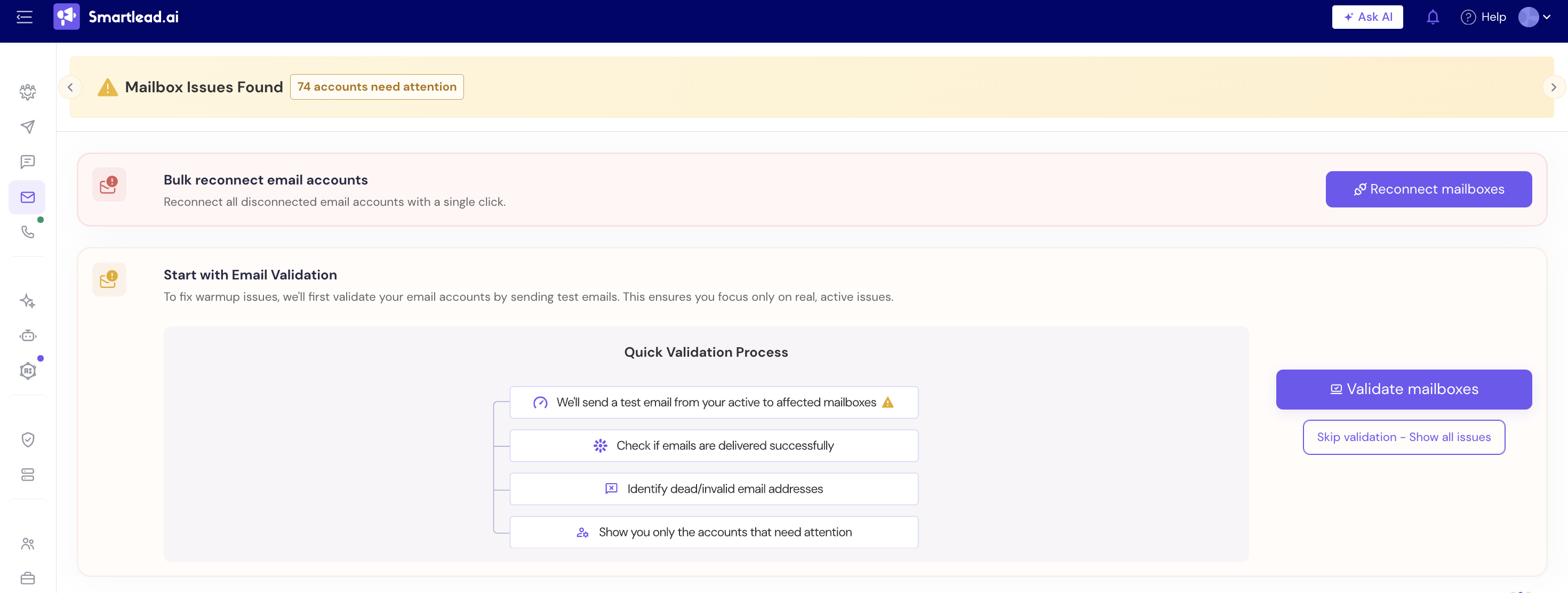
For many mailboxes, use the N accounts need attention banner: click Fix now → Bulk reconnect email accounts → Reconnect mailboxes.
Check in your mail provider that the mailbox exists and accepts email from outside your domain.
Unblock the mailbox.
Remove the forwarding rule in your mail provider.
Unblock the mailbox.
Fix delivery to and from the mailbox in your mail provider.
Unblock the mailbox.
Ask your Microsoft 365 admin to clear the outbound restriction on your tenant.
Unblock the mailbox.
Renewing your plan doesn't lift this block on its own.
Add or fix the MX record for the domain at your DNS host.
On the mailbox's Warm Up tab, find Your MX Records were not resolving and click Unblock Warmup Mailbox. This unblocks every mailbox on that domain.
If you don't, the block clears on the next daily check once MX is healthy.
On the mailbox's Warm Up tab, click Generate Intell-Unblock Code, then Unblock Mailbox.
Open that mailbox and find the code from the Smartlead warmup sender, warmupreputation.com. The code is valid for 10 minutes.
Enter it in Enter Intell-Unblock Code and click Verify Mailbox.
On Sender Accounts, click Fix now on the N accounts need attention banner.
Click Start with Email Validation → Validate mailboxes → Confirm.
Wait for Validation completed.
Disconnected mailboxes are skipped. Reconnect them first.
Still stuck? Contact support from the chat in your Smartlead dashboard. Include the mailbox address and the reason shown on its Warm Up tab.
