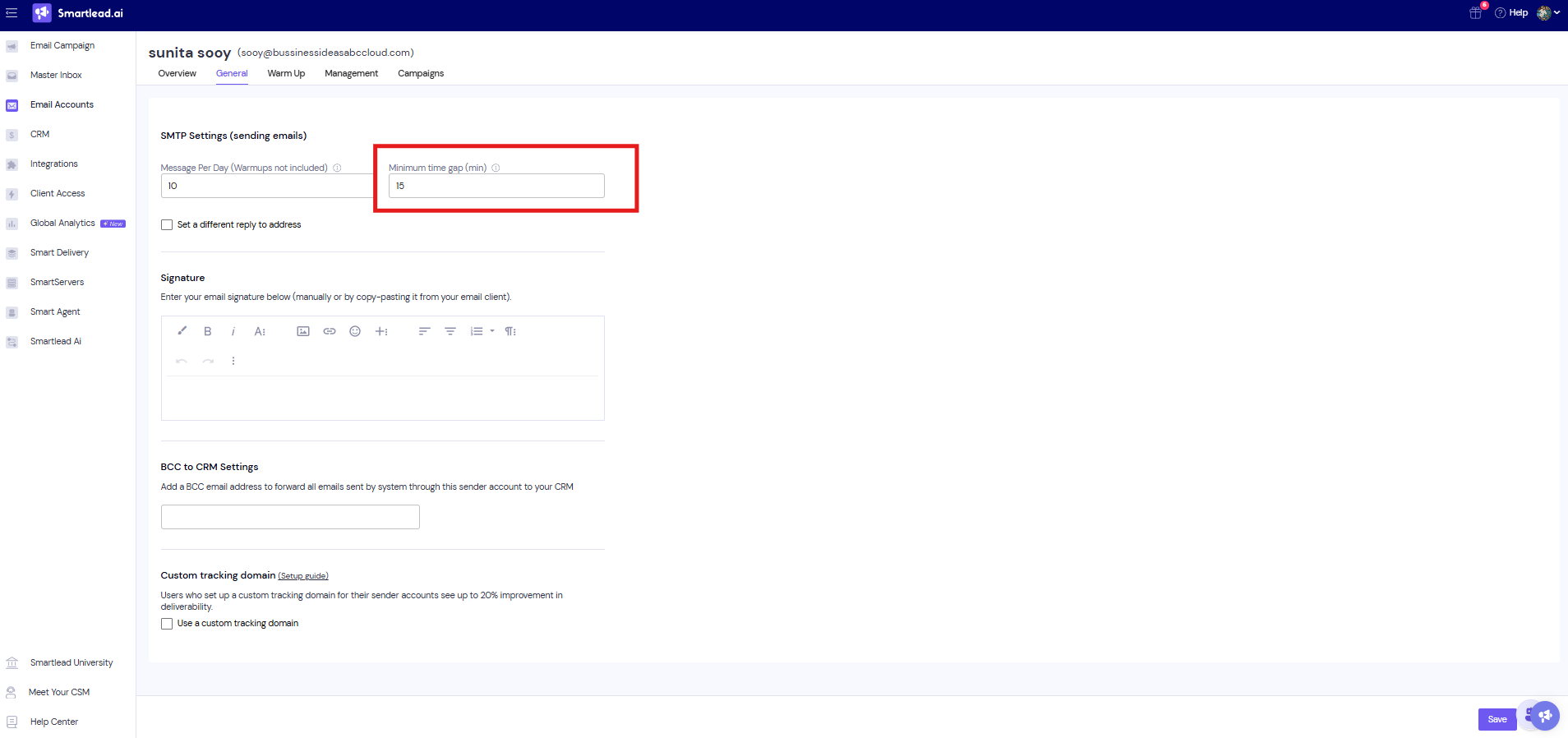
The Minimum time gap is a mailbox setting. It is the shortest time allowed between two emails from that mailbox, across every campaign the mailbox sends for.
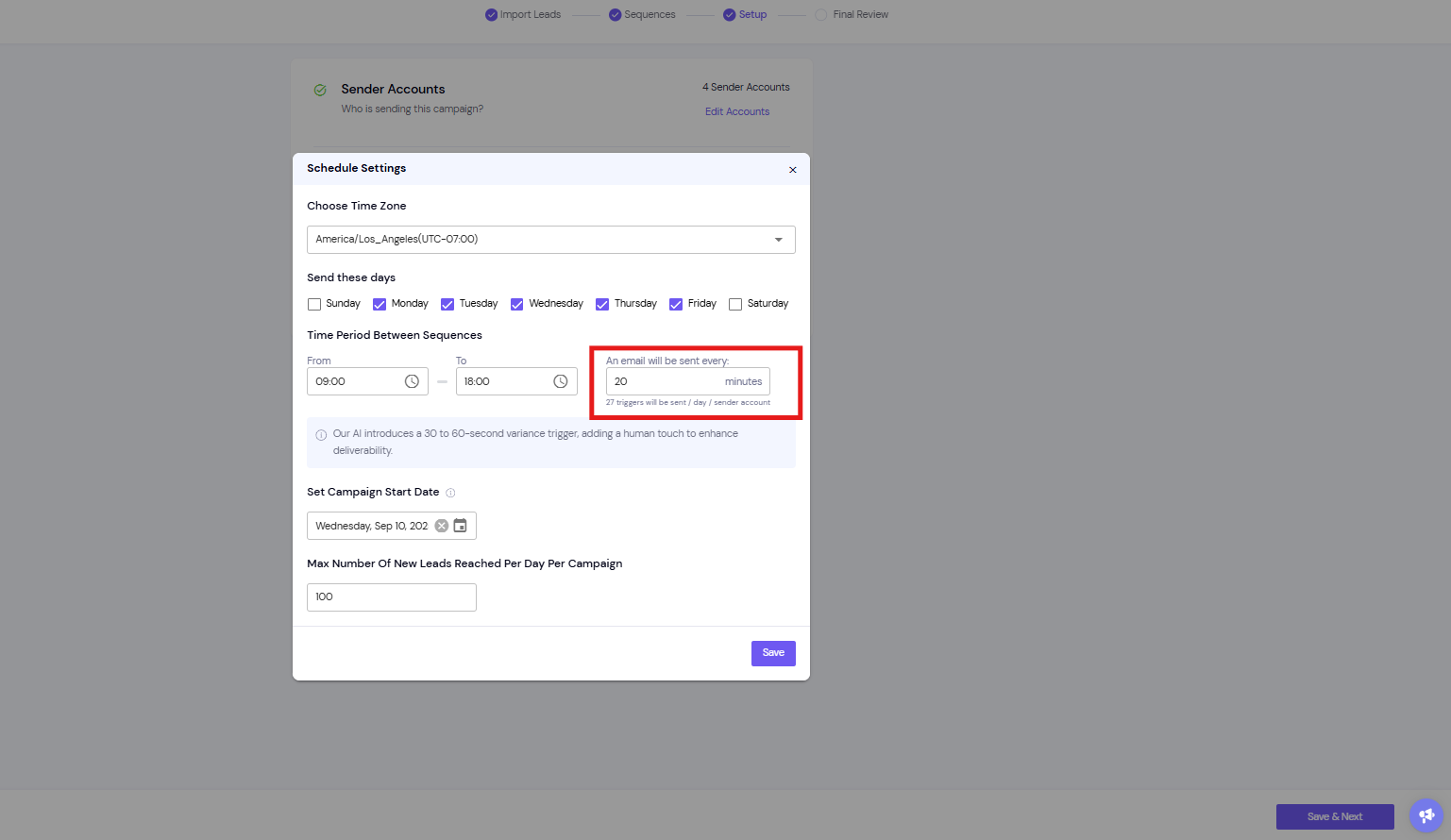
Your campaign has its own sending interval: how often, in minutes, it tries to send. Each of these send times is called a trigger. The two settings work together, so set them to fit each other.
At each trigger, Smartlead checks when each mailbox last sent an email. If the mailbox's minimum time gap has not passed yet, that lead and mailbox are skipped until the next trigger.
Triggers are created from the campaign's sending days, sending window, timezone and interval. Send times vary by 30–60 seconds so the sending pattern looks natural.
Go to Sender Accounts.
Open the mailbox.
On the General tab, find Minimum time gap (min).
Enter the number of minutes, then save your changes.
Go to Email Campaigns and open the campaign.
Open the Settings tab, then Schedule Configuration.
Under Sending Window, set Every to the number of minutes between sends.
Save your changes.
Below the field, you see how many triggers will be sent per day for each sender account.
Keep each mailbox's minimum time gap lower than the campaign's interval.
Works: mailbox gap 20 minutes, campaign sends every 25 minutes. The mailbox is ready at every trigger.
Causes skipped sends: mailbox gap 35 minutes, campaign sends every 25 minutes. The mailbox misses triggers, so the campaign sends less.
The gap is per mailbox, not per campaign. If several campaigns share a mailbox, the gap counts from that mailbox's last email in any of them.
Smartlead flags a mailbox when its gap is higher than the campaign's interval. It appears in the campaign's Email Accounts tab under Sent Time Discrepancy.
A mailbox in the campaign probably has a minimum time gap higher than the campaign's interval. Check the Sent Time Discrepancy tab in the campaign's Email Accounts tab, then lower the mailbox gap or raise the campaign interval.
Go to Sender Accounts, open the mailbox, and look for Minimum time gap (min) on the General tab.
Yes. The minimum time gap then applies across all those campaigns, so each campaign gets fewer sends from that mailbox.
