Your campaign is active, but emails aren't going out, or far fewer than expected. Work through the causes below in order.
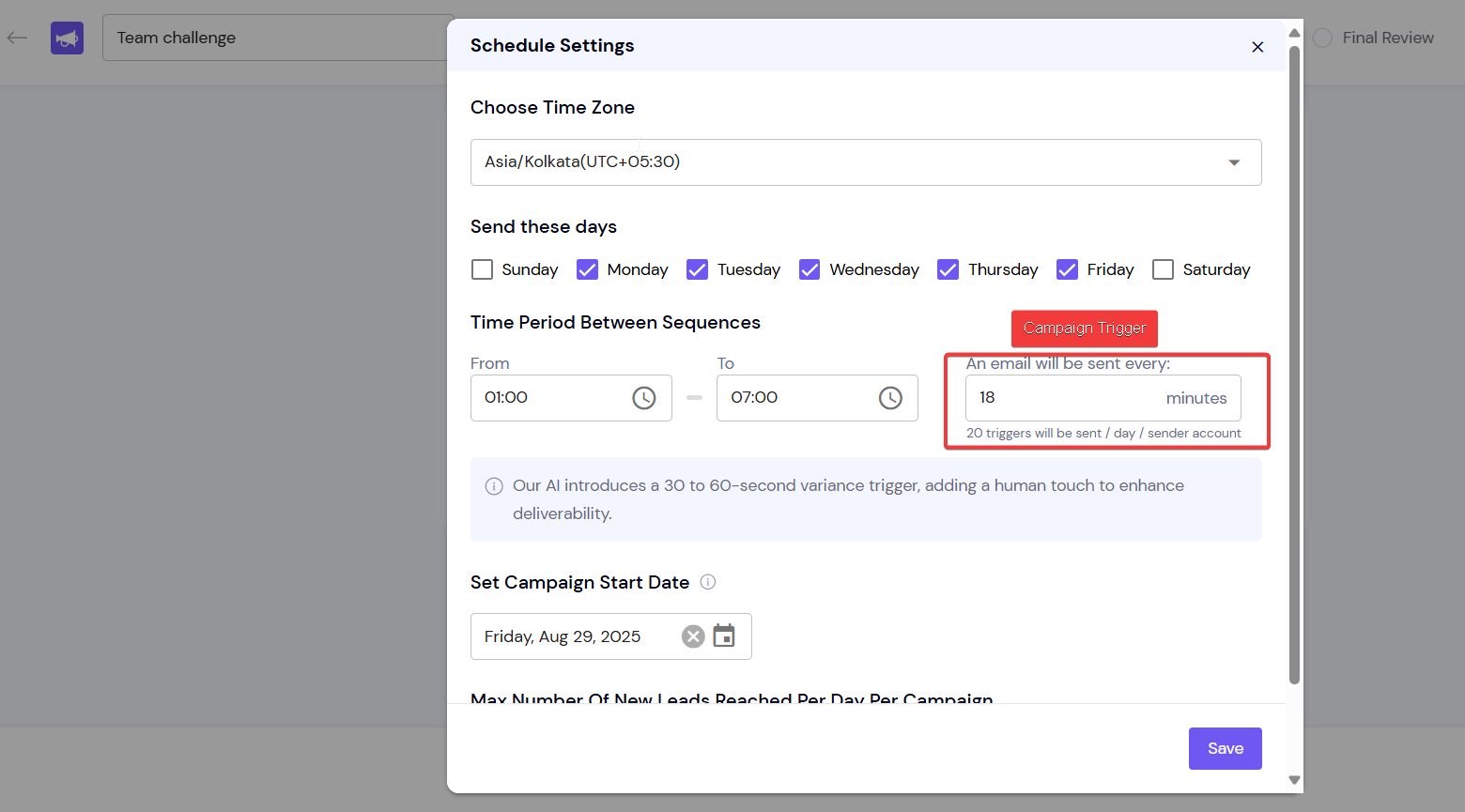
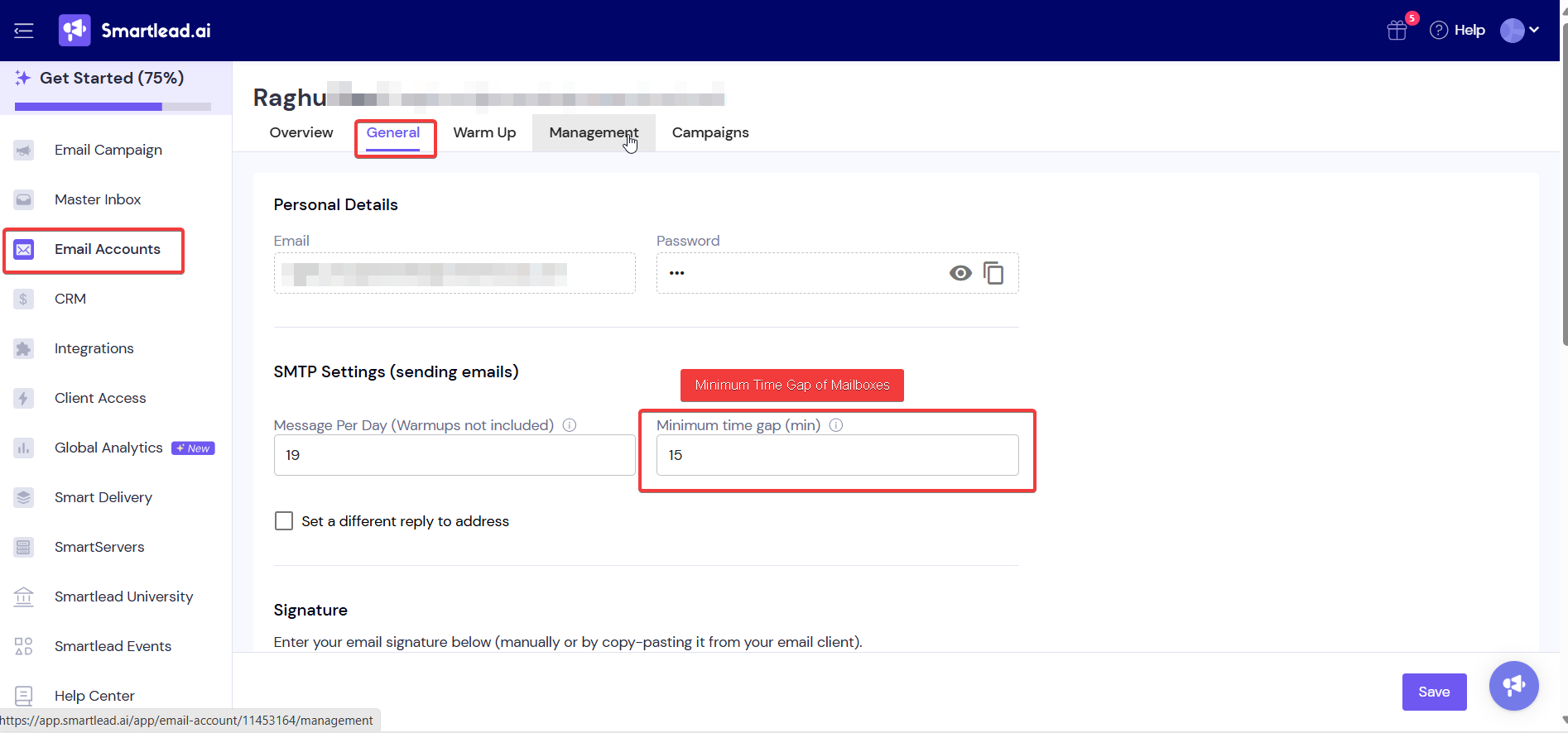
Each mailbox has a Minimum time gap. If it is higher than the campaign's sending interval, the mailbox misses triggers. The campaign's Email Accounts tab lists these mailboxes under Sent Time Discrepancy.
For example, a campaign that sends every 18 minutes works with a mailbox gap of 15 minutes. A mailbox gap of 20 minutes would miss triggers.
Open the campaign and go to Email Accounts → Sent Time Discrepancy.
For each listed mailbox, go to Sender Accounts, open it, and on the General tab lower Minimum time gap (min) below the campaign's interval.
Or raise the campaign's interval in Settings → Schedule Configuration → Every.
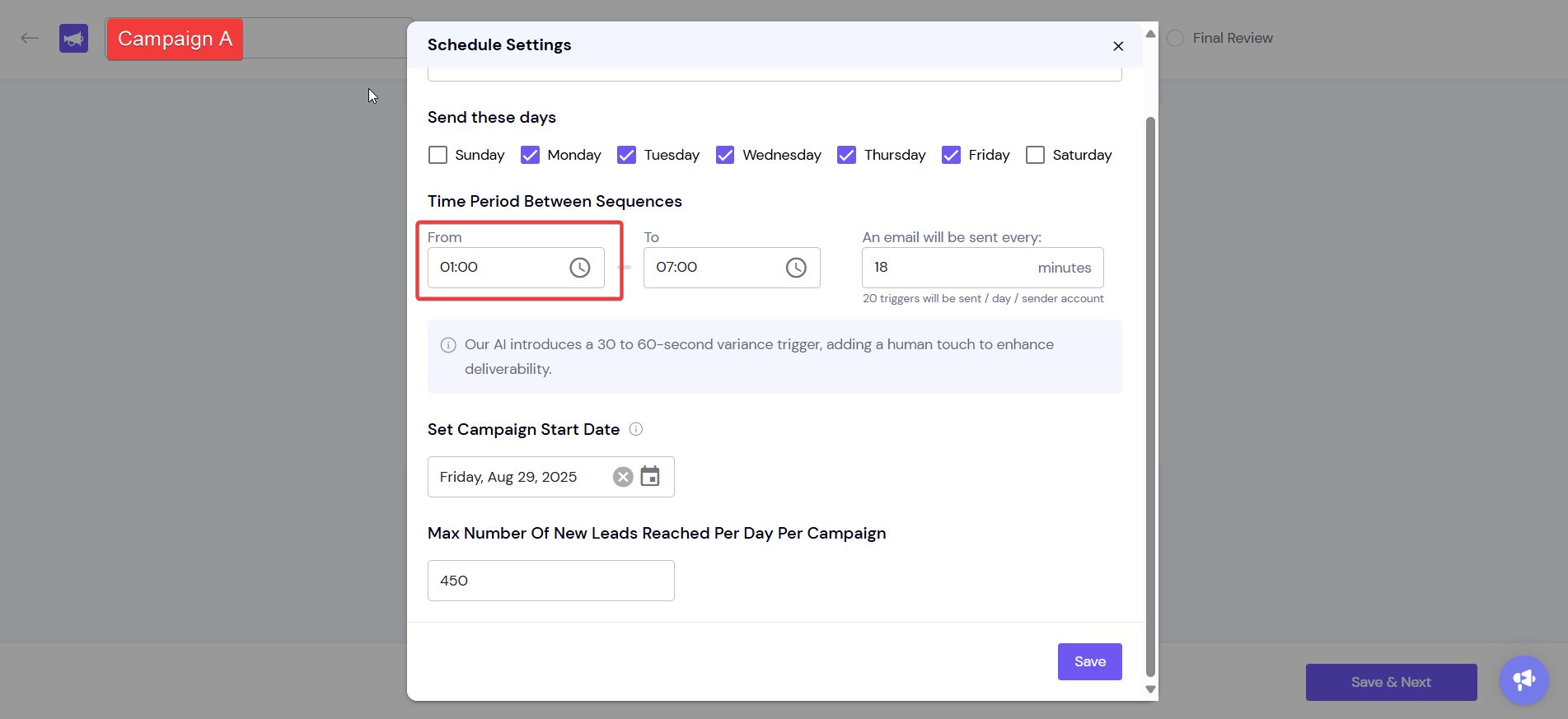
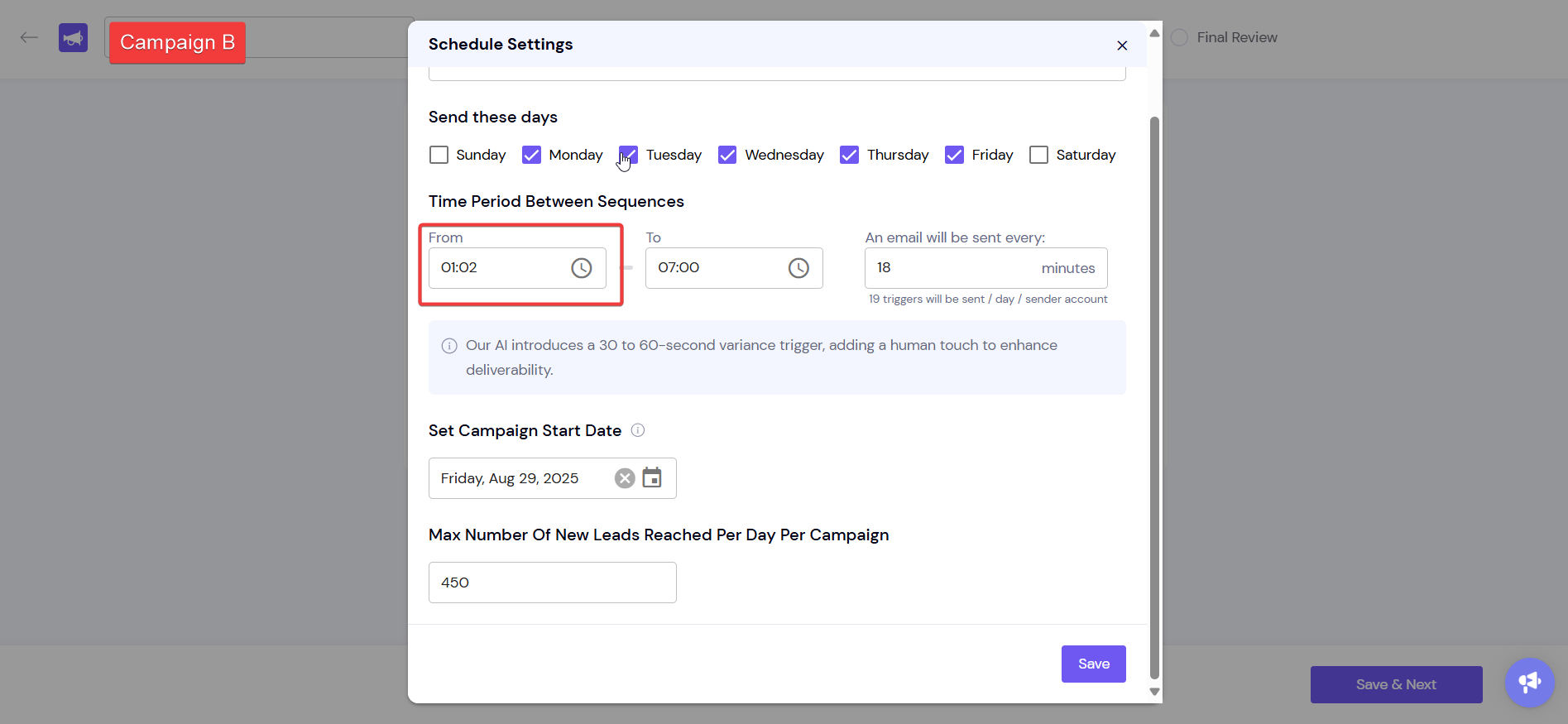
The minimum time gap applies to the mailbox across every campaign it sends for. When several active campaigns share a mailbox, each one gets fewer sends from it.
Add more mailboxes to the campaign, or use fewer active campaigns on the same mailbox.
Keep each mailbox's gap lower than the interval of every campaign it is in.
Open the campaign.
Click Activity Log in the campaign header.
Set the Timeframe, or search by sender email or a keyword such as "failed".
The log shows each trigger and why emails were sent or skipped.

Still stuck? Contact support from the chat in your Smartlead dashboard. Include the campaign ID, the affected mailbox and any error text from the Activity Log.