This guide walks you through the new SmartSenders purchase flow inside Smartlead, so you can quickly buy and activate fresh mailboxes without confusion.
The updated flow is designed to:
Make mailbox selection clearer
Show transparent pricing before checkout
Reduce configuration errors
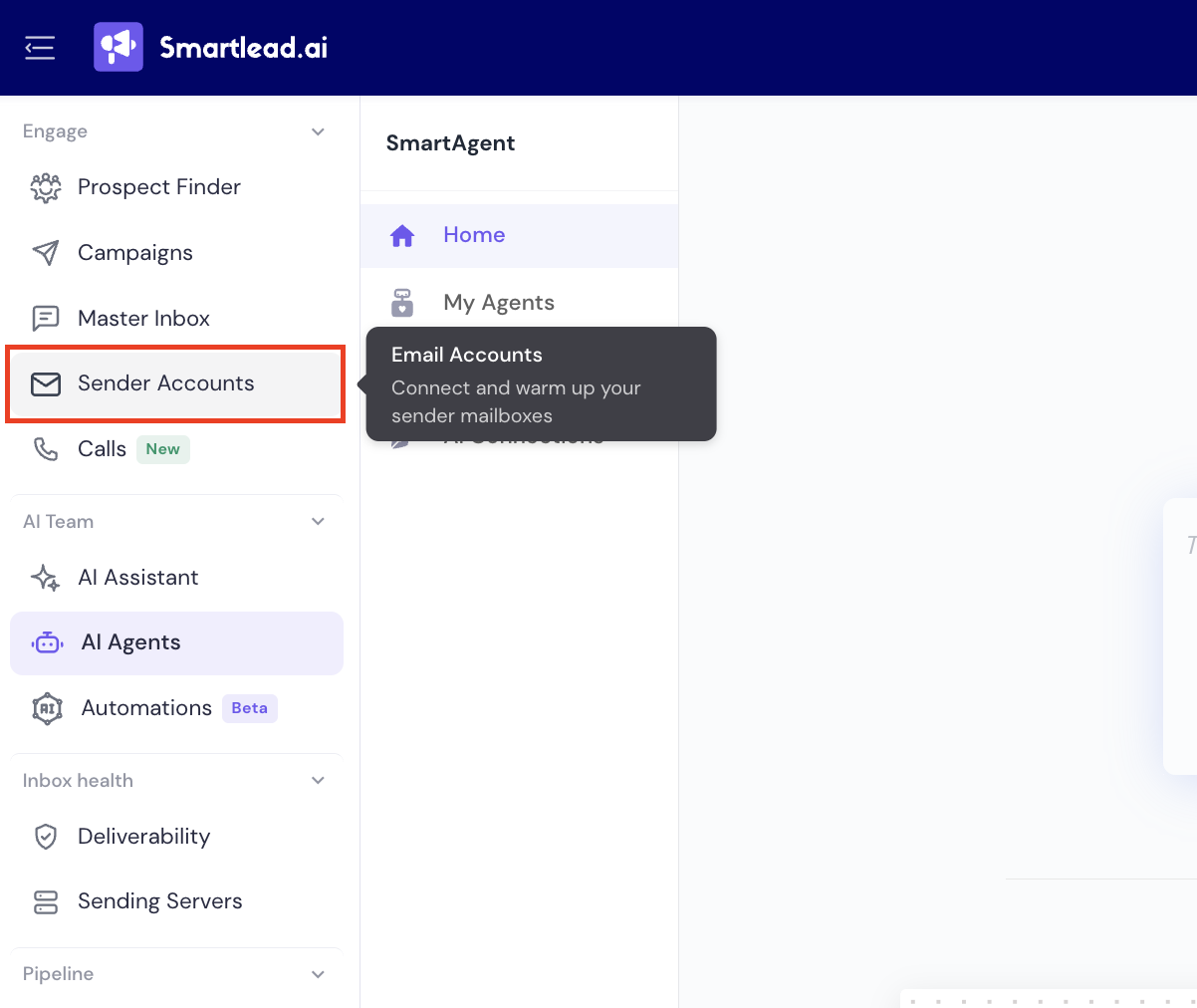
From the left sidebar, click Sender Accounts » Email Accounts.
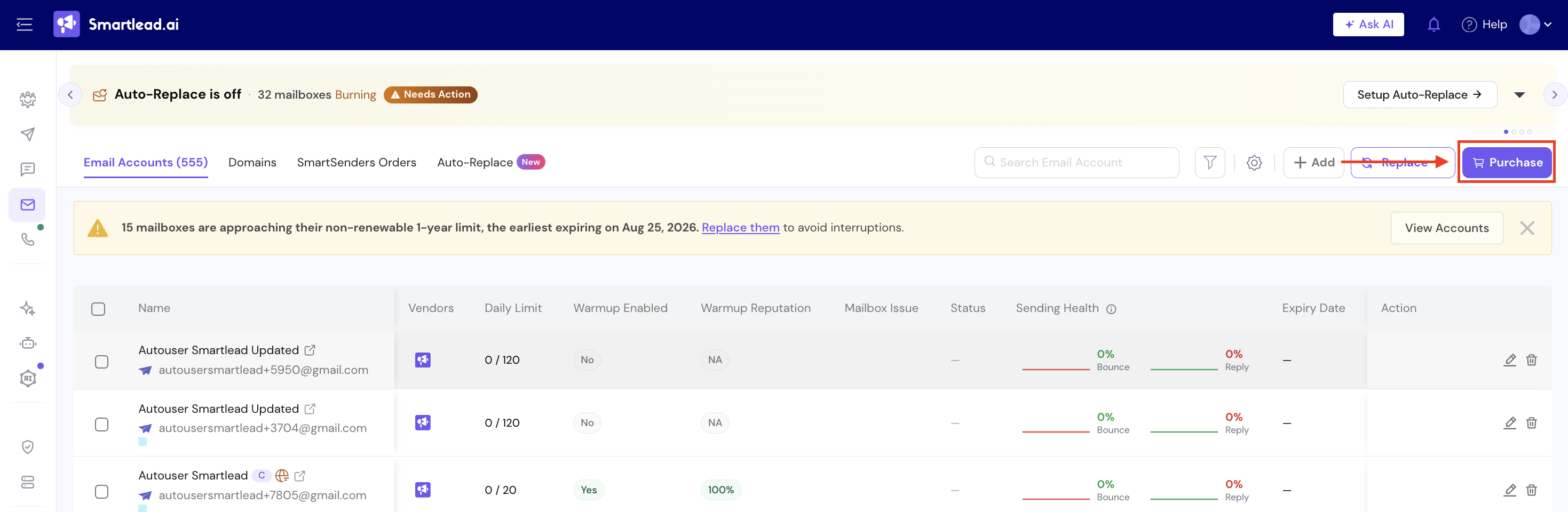
In the top-right corner, click Purchase.
This opens the mailbox purchase modal.
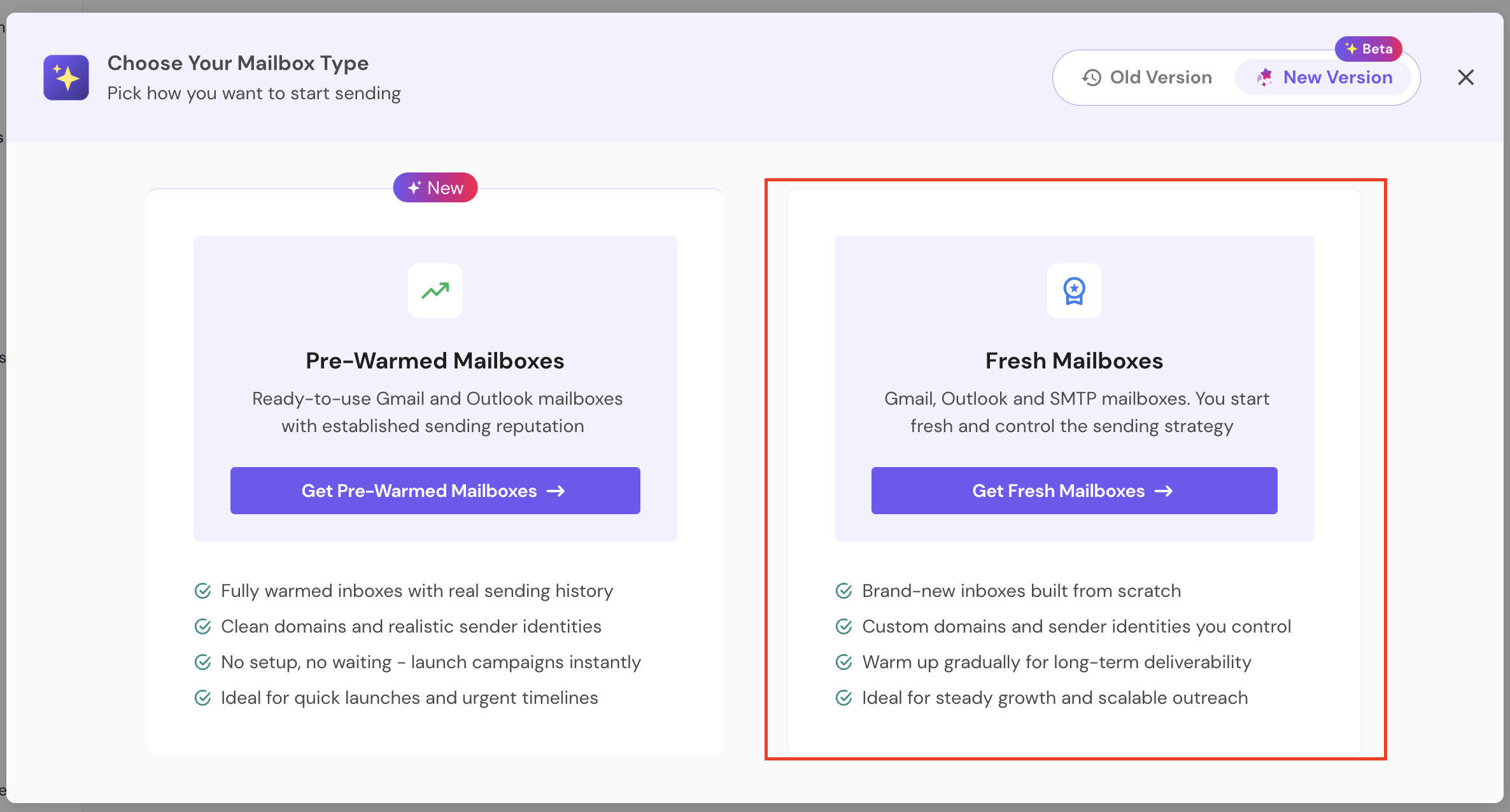
You'll see two options:
Pre-Warmed Mailboxes
Fresh Mailboxes
Click Get Fresh Mailboxes.
Fresh mailboxes allow you to:
Start with brand-new inboxes
Control the sending strategy
Warm them gradually for long-term deliverability
If you're looking to buy pre-warmed mailboxes, here's a guide to help you get started.
Once you click on Fresh Mailboxes, you’ll get two options:
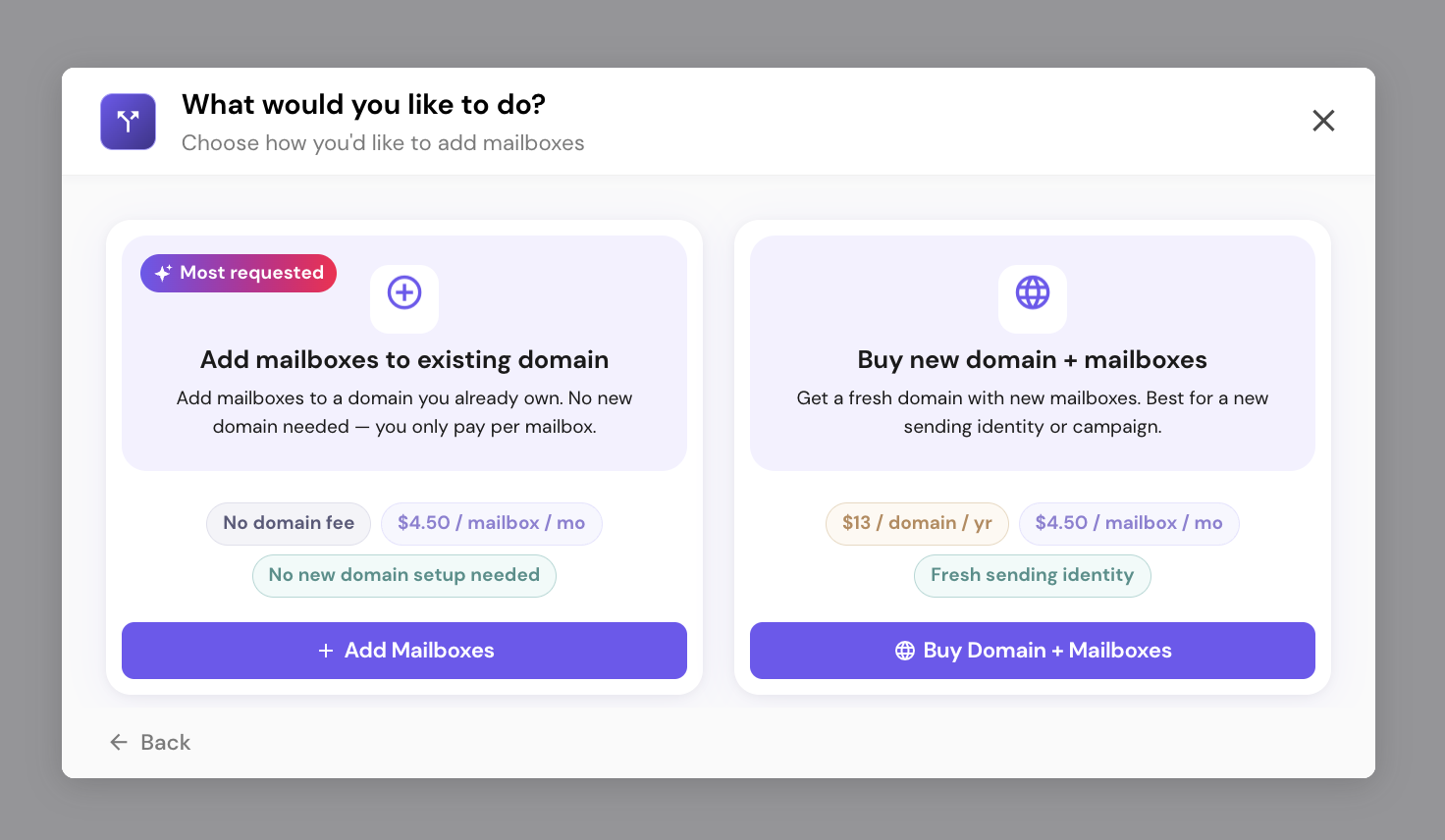
Either add mailboxes to an existing domain (if you pick this, check out the “How to add mailboxes to an existing domain”)
Or, buy new domains and mailboxes (for this, continue to step 3 below)
3.1 Select Mailbox Count
Choose how many mailboxes you want to purchase:
10
20
50
100
Custom
You can also expand Mailbox-to-Domain Ratio if needed.
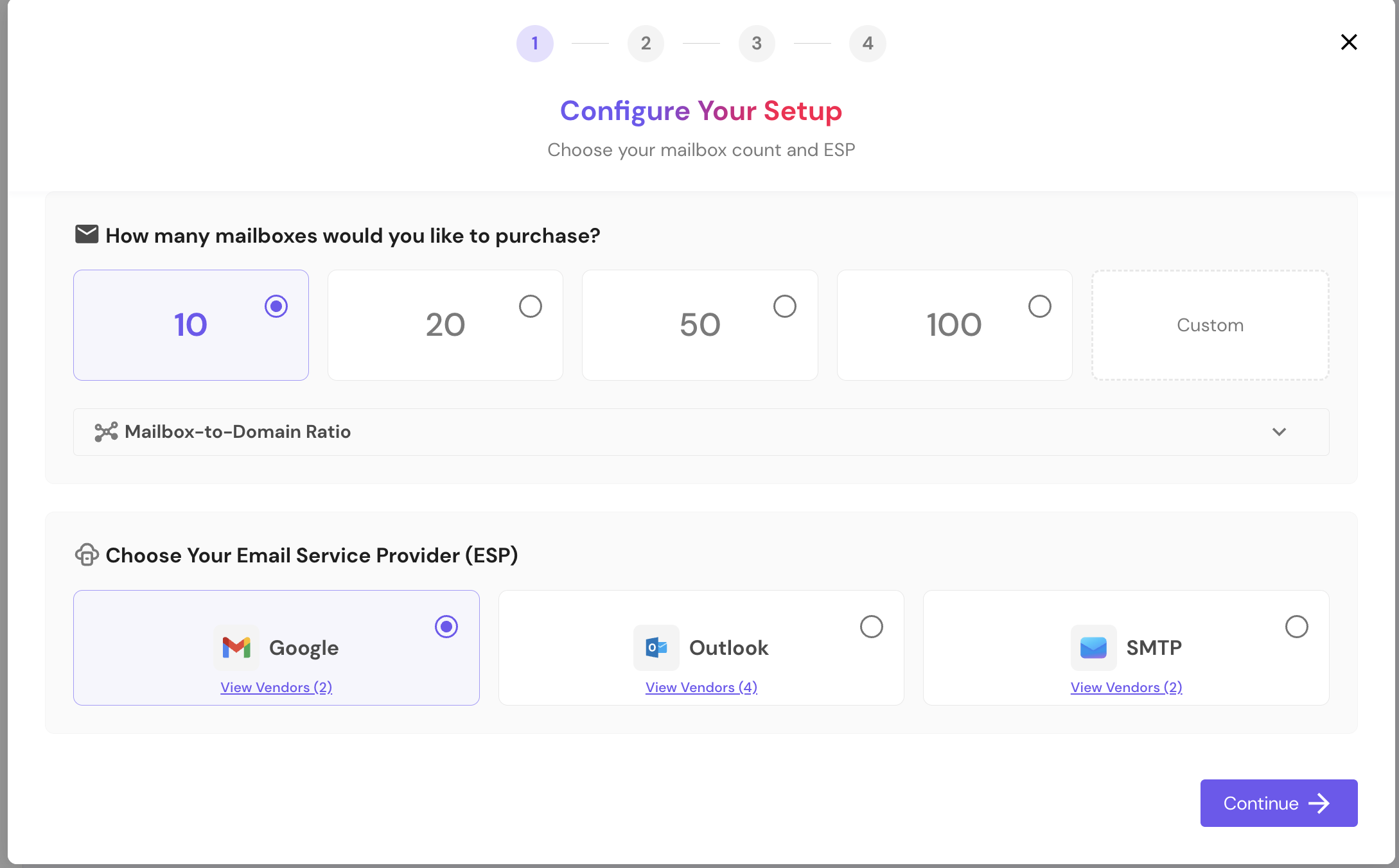
3.2 Choose Your Email Service Provider (ESP)
Select your preferred provider:
Outlook
SMTP
You can click View Vendors under each option to see available providers (see above screenshot).
Once selected, click Continue.
Note - If vendor selection was not done, it will pick the default vendor
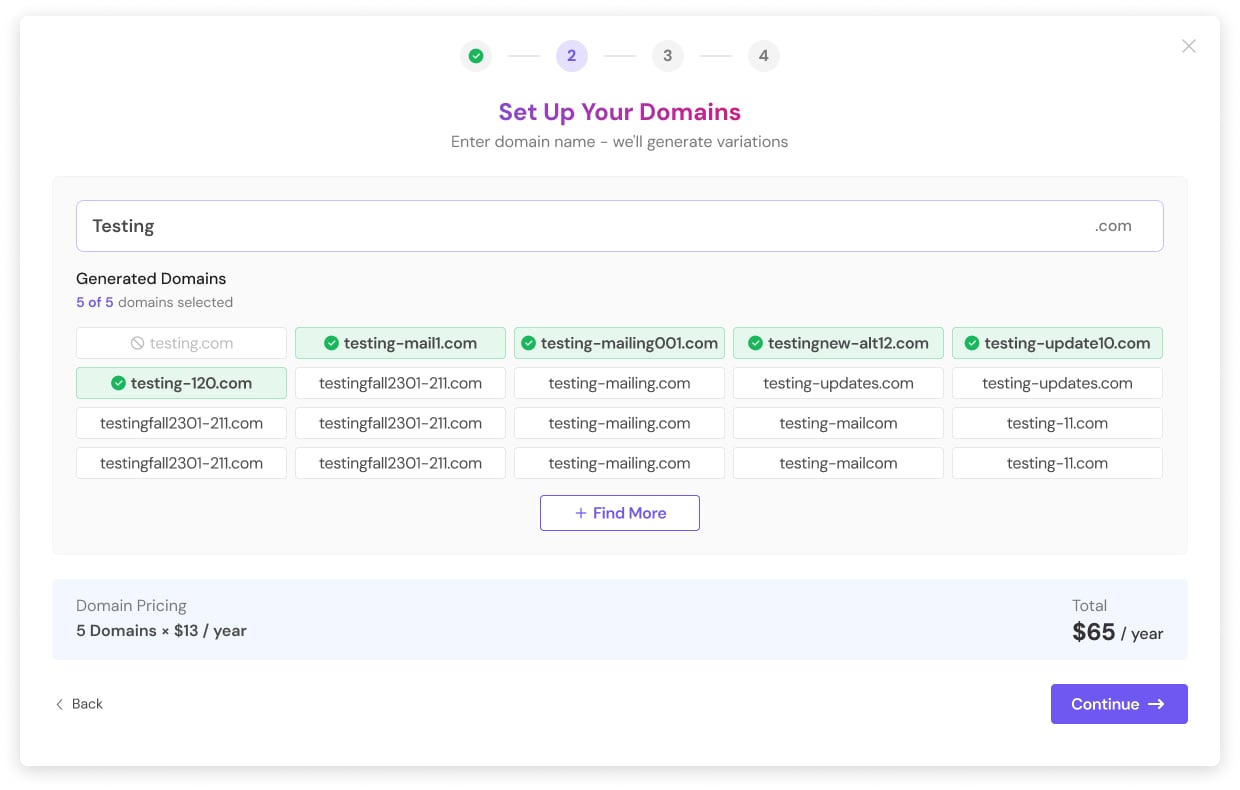
Enter your base domain name.
SmartSenders will automatically generate domain variations for you.
Example:
If you enter acme, the system generates variations like:
boostacme.com
acmeprime.com
acmecrown.com
What to do here:
Select the domains you want. The page shows how many you need based on your mailbox count and ratio (e.g., “You need 2 domains”).
Use Find More if you'd like additional variations.
Review pricing at the bottom.
Domain Pricing
Domains are billed yearly.
Example: 5 domains × $13/year = $65/year.
Click Continue.
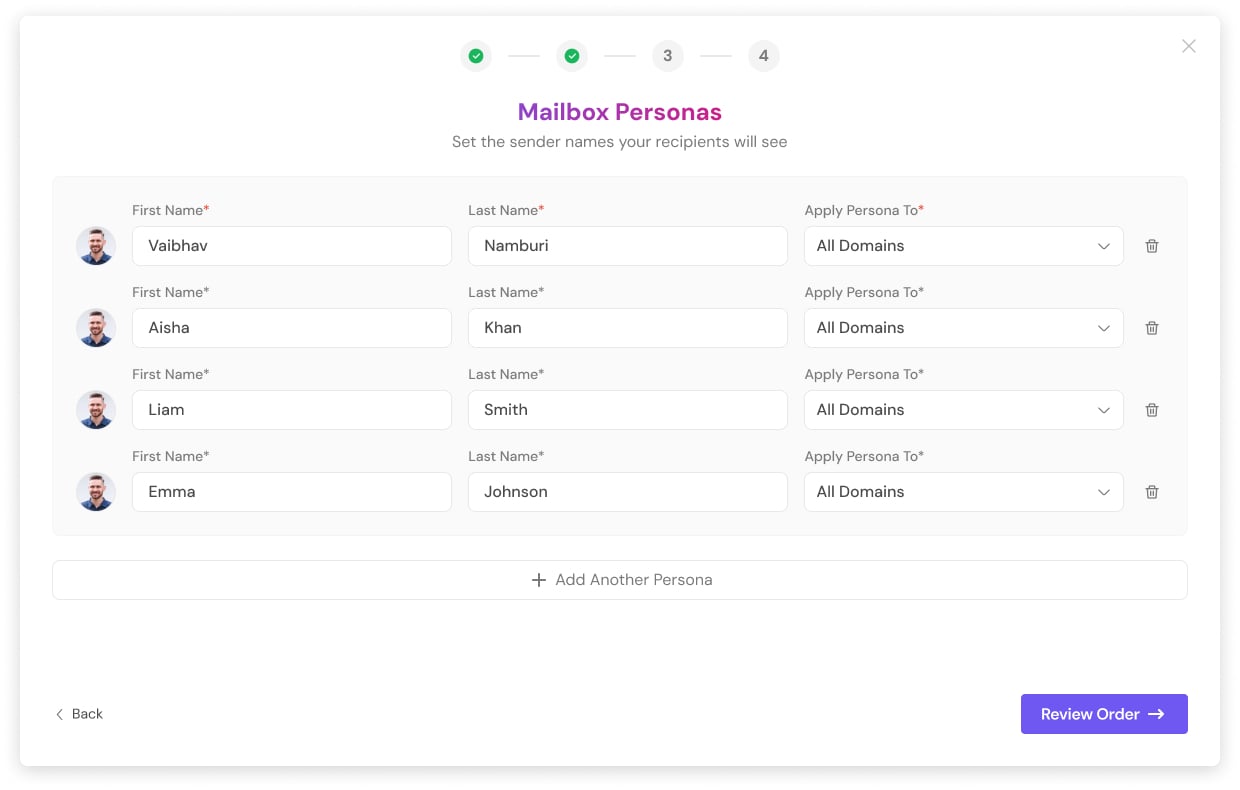
Now define the sender identities your recipients will see.
For each persona, enter:
First Name
Last Name
Apply Persona To (All Domains or specific domain)
Profile Photo — uploading a photo is required for each persona.
You can:
Add multiple personas
Apply different personas to different domains
Click Add Another Persona to create more
Once done, click Review Order.
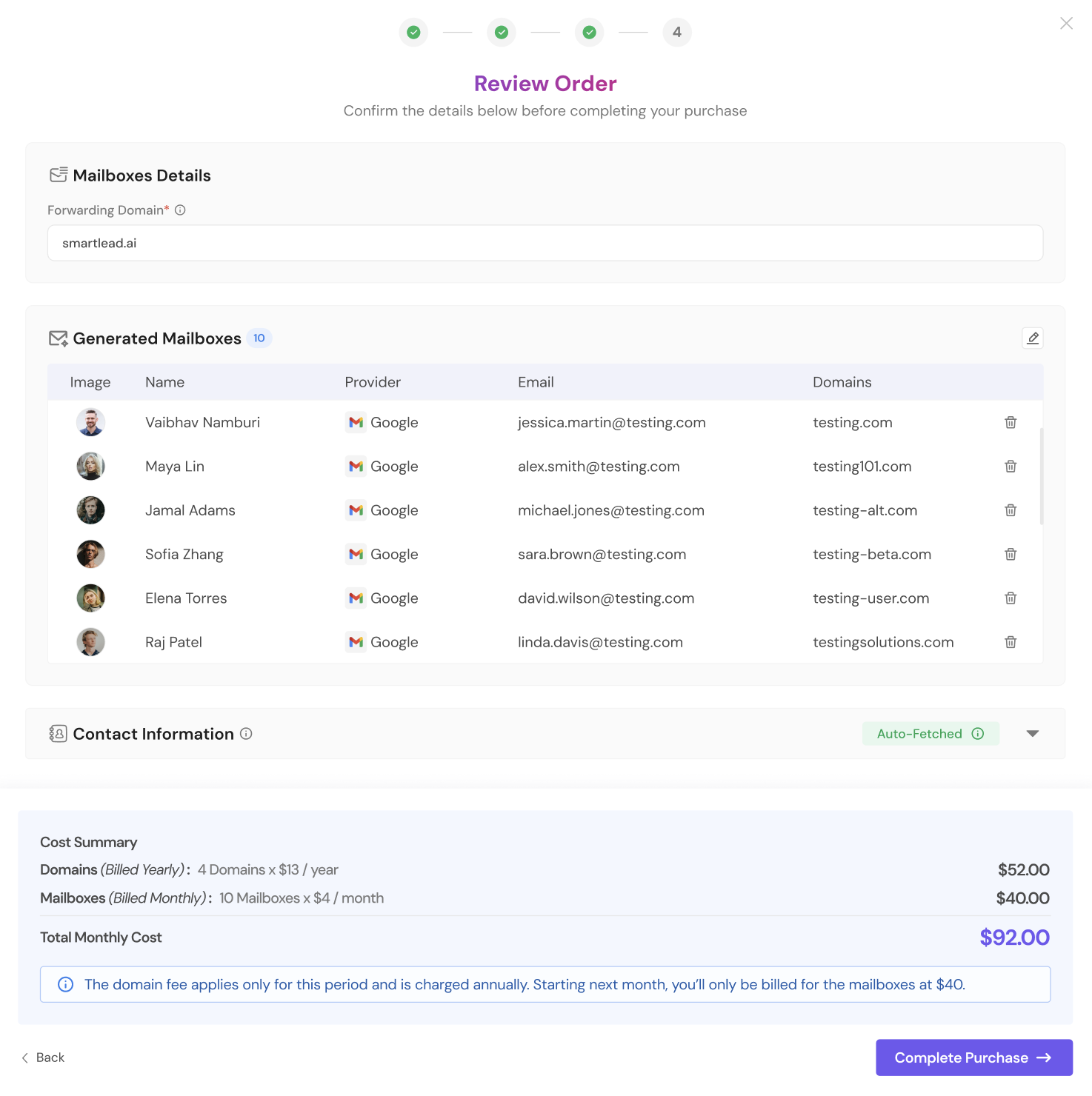
You'll now see:
Mailbox Details
Forwarding domain
Generated Mailboxes
Profile image
Name
Provider
Email address
Assigned domain
You can delete individual mailboxes if needed.
Cost Summary
Breakdown includes:
Domains (Billed Yearly)
Mailboxes (Billed Monthly)
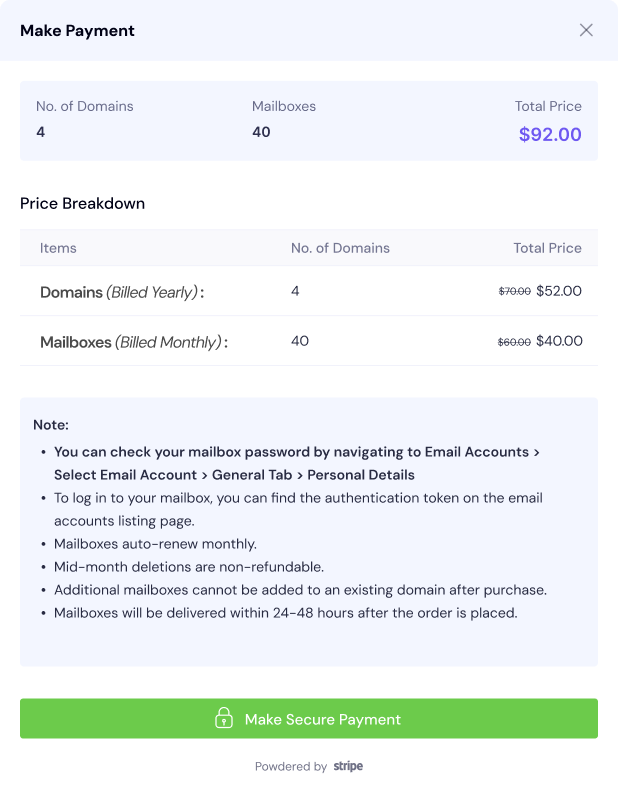
On the payment screen, review:
Number of domains
Number of mailboxes
Total price
Price breakdown
Important notes:
You can check your mailbox password by navigating to Email Accounts > Select Email Account > General Tab > Personal Details.
To log in to your mailbox, you can find the authentication token on the email accounts listing page.
Mailboxes are billed monthly — we’ll charge you each month you keep them. Mailboxes remain active for the period of maximum 12 months. Mailboxes expire at the end of month 12. If you delete a mailbox mid-month, you’ll be billed through that month with no proration, and there’ll be no charge from the following month onwards.
Domains are a one-time yearly payment and run for a fixed 1-year term from the date of purchase — there’s no renewal. At the end of 1 year, the domain and all its mailboxes will expire. Don’t worry though — you’ll see an upcoming-expiry notice on your Email Accounts page well before it happens, so you have time to plan. You can purchase fresh domains and mailboxes, or use the in-product Replace flow to get new mailboxes with similar-looking domains.
Domain fees are non-refundable.
You can now add more mailboxes to a domain you already own — see “Can I add more mailboxes to a domain I already own?” in the FAQs below.
Mailboxes are delivered within 24–48 hours.
Click Make Secure Payment to complete your purchase.
For added security, some card payments during checkout may require 3D Secure (3DS) verification — a quick confirmation step from your bank before the payment goes through. This is a standard security check and does not change your order. Learn more in our 3D Secure article.
Once payment is successful:
Domains are registered.
Mailboxes are provisioned.
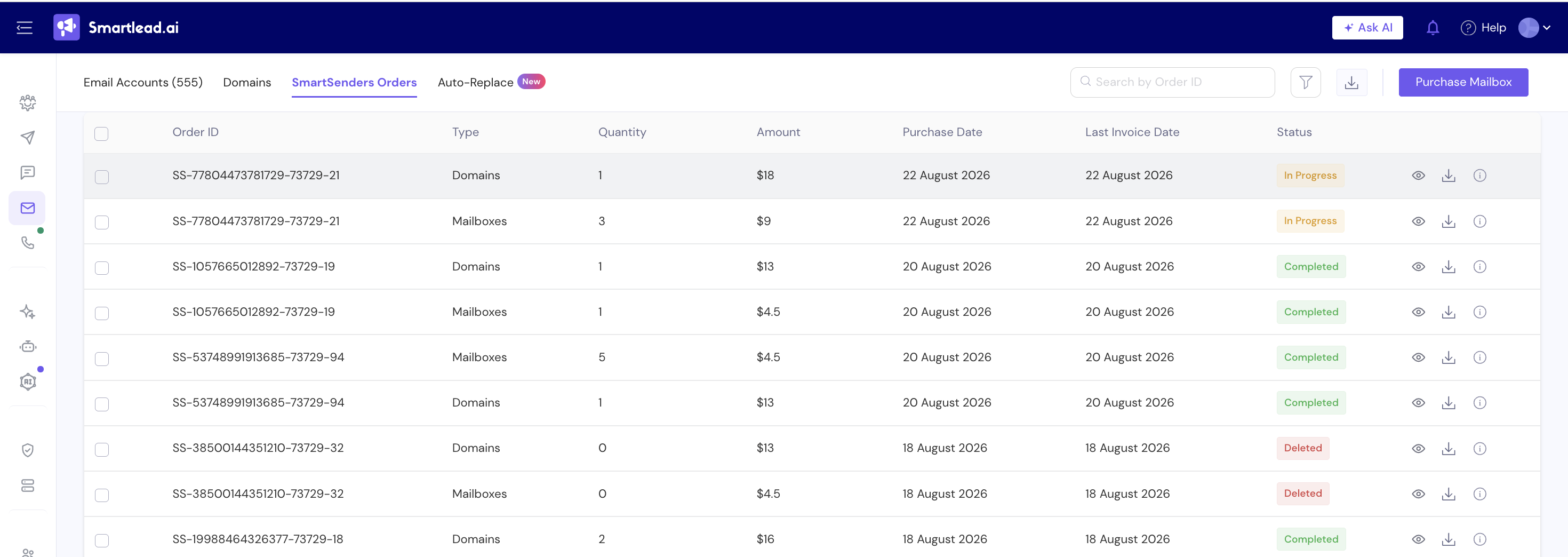
You can track your orders under Email Accounts >> SmartSender Orders
Remember to start warmup before launching campaigns.
It depends on your campaign volume.
10–20 → smaller setups
50+ → scaling or multiple campaigns
You can also choose Custom and enter any number (minimum 1).
For proper rotation, 5+ mailboxes is recommended.
It controls how many mailboxes are assigned per domain.
Example:
5:1 → 20 mailboxes = 4 domains
Spreading mailboxes across domains protects sender reputation.
Most users should keep it.
Lower ratios (3:1 or 2:1) improve deliverability but increase domain costs.
The system automatically rounds up and shows the exact distribution before you proceed.
ESP = Email Service Provider.
Google (Gmail) → widely trusted
Outlook → strong for enterprise
SMTP → flexible, advanced setups
If unsure, choose Google or Outlook.
It reflects the currently top-ranked vendor for that provider based on performance. Rankings are reviewed regularly.
No. SmartSenders registers and sets up new domains for you during purchase.
Based on your mailbox count and ratio, the system selects the correct number automatically.
You can swap or deselect them before proceeding.
It’s where recipients land when they click links in your emails (usually your main website).
It is different from your sending domains.
A persona is the sender identity (first name, last name, and a required profile photo).
You can assign different personas to different domains.
Yes. On the Review step, you can remove individual mailboxes.
Each domain must retain at least one mailbox.
Mailboxes → monthly
Domains → annually
Your first payment includes 1 month of mailboxes + 1 year of domains.
Provisioning starts immediately after payment and typically takes 24–48 hours.
You can track status in SmartSenders Orders.
Yes. You can now purchase additional mailboxes on a domain you already own directly from Email Accounts — there’s no need to buy a new domain. Open the domain, choose the option to add more mailboxes, and complete payment the same way as a new order.