Already have a domain purchased through SmartSenders?
You can add more mailboxes to it directly, without buying a new domain or paying a domain fee.
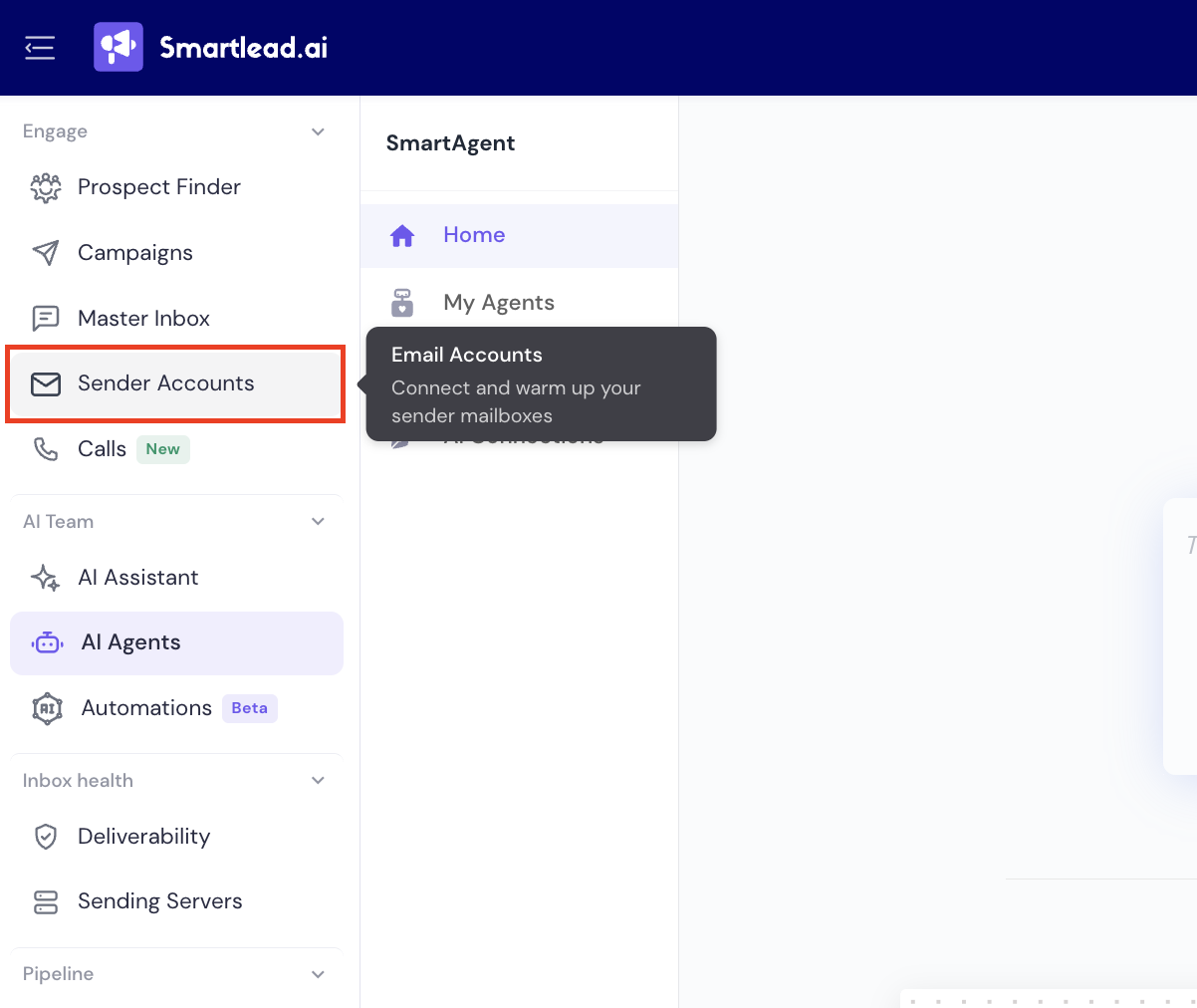
From the left sidebar, click Sender Accounts » Email Accounts.
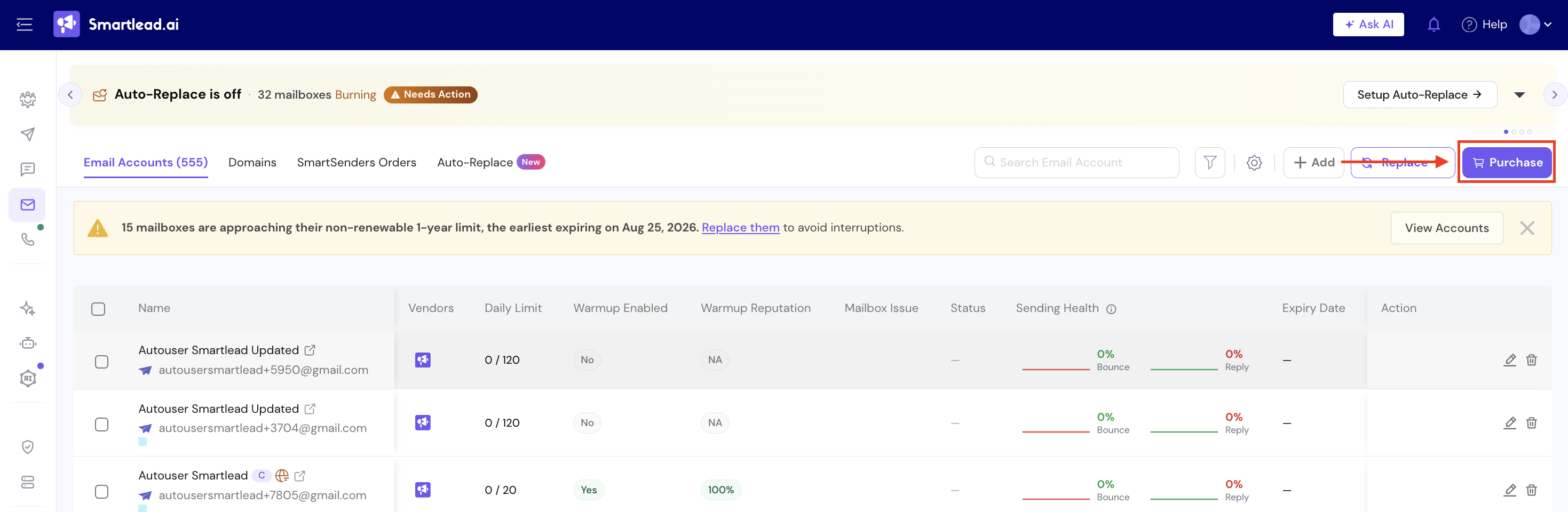
In the top-right corner, click Purchase.
This opens the mailbox purchase modal.
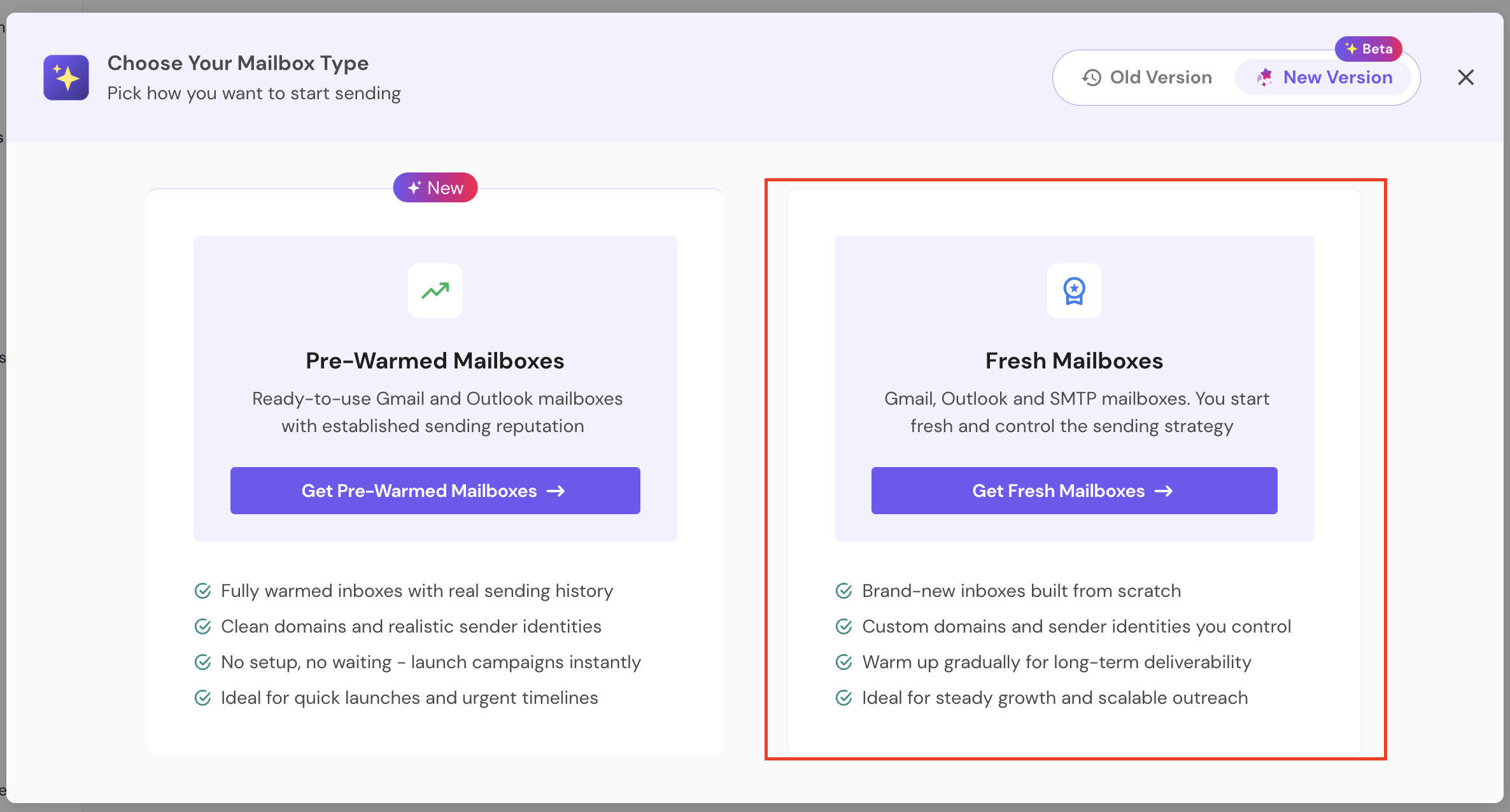
You'll see two options:
Pre-Warmed Mailboxes
Fresh Mailboxes
Click Get Fresh Mailboxes.
Fresh mailboxes allow you to:
Start with brand-new inboxes
Control the sending strategy
Warm them gradually for long-term deliverability
If you're looking to buy pre-warmed mailboxes, here's a guide to help you get started.
Once you click on Fresh Mailboxes, you’ll get two options:
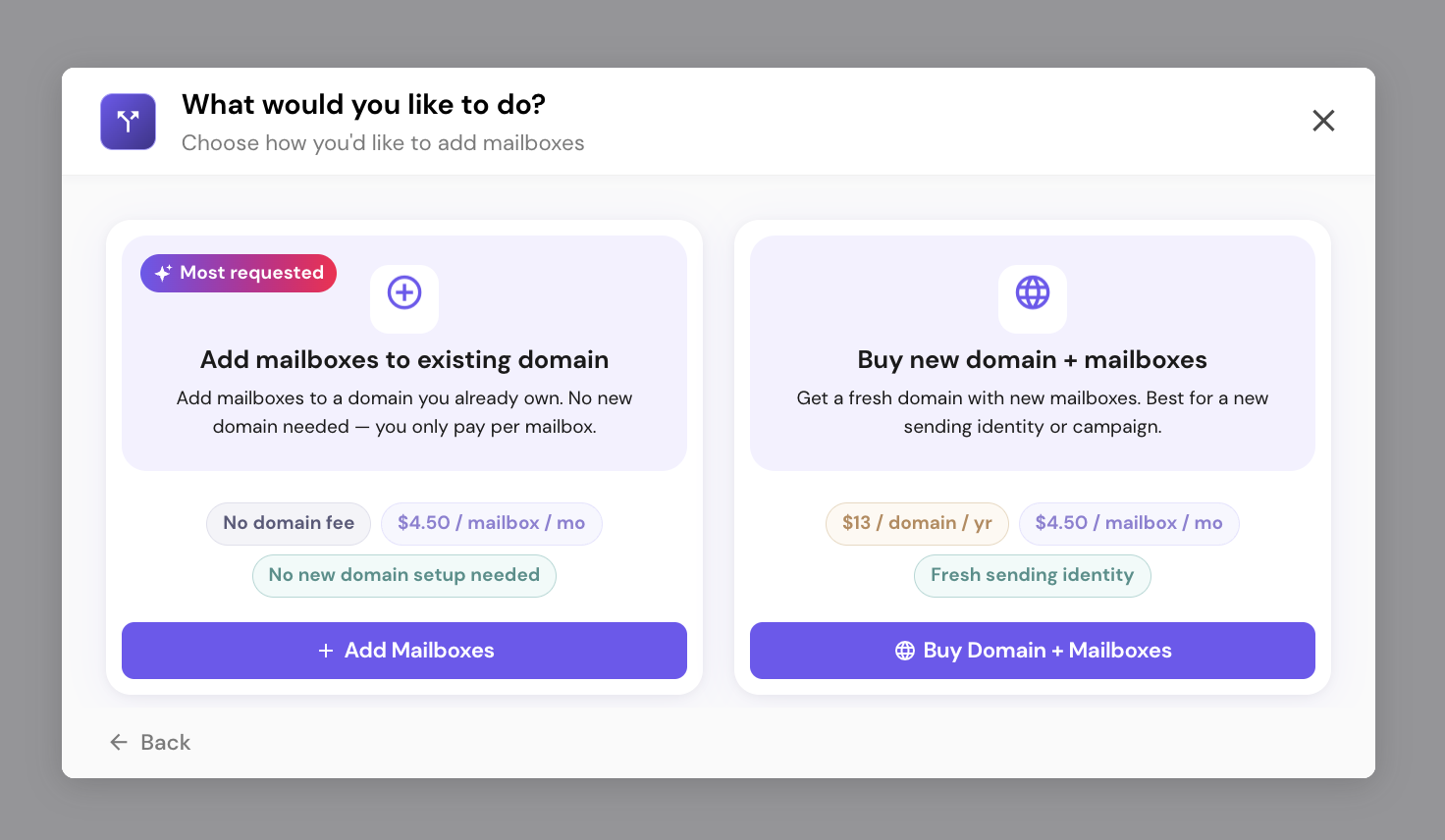
Click on Add Mailboxes option.
On the next screen, select Add mailboxes to existing domain and click Add Mailboxes.
This option has no domain fee - you only pay per mailbox, and it preserves the domain's existing warmup reputation.
Search or browse your domains, then select the one you want to add mailboxes to.
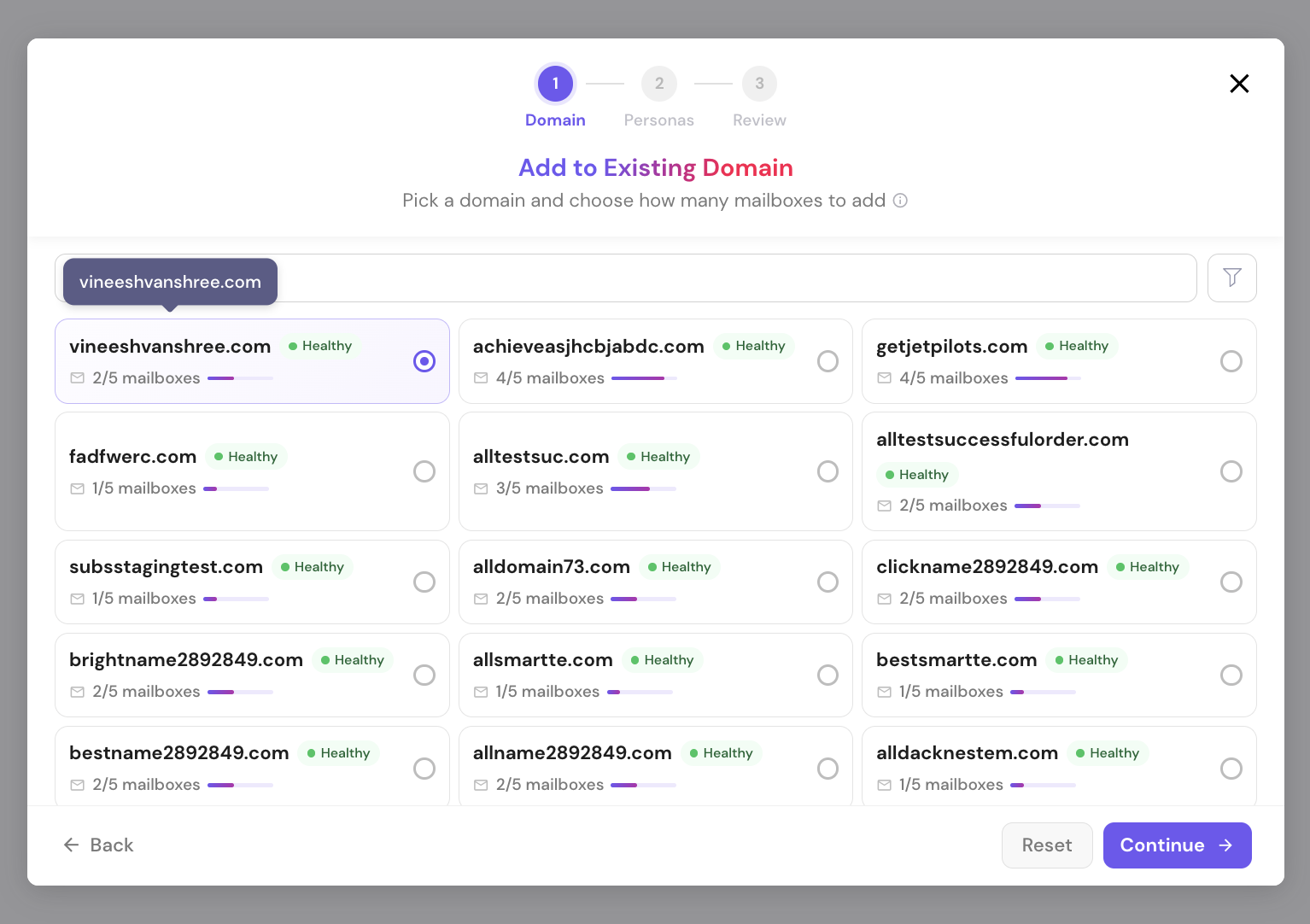
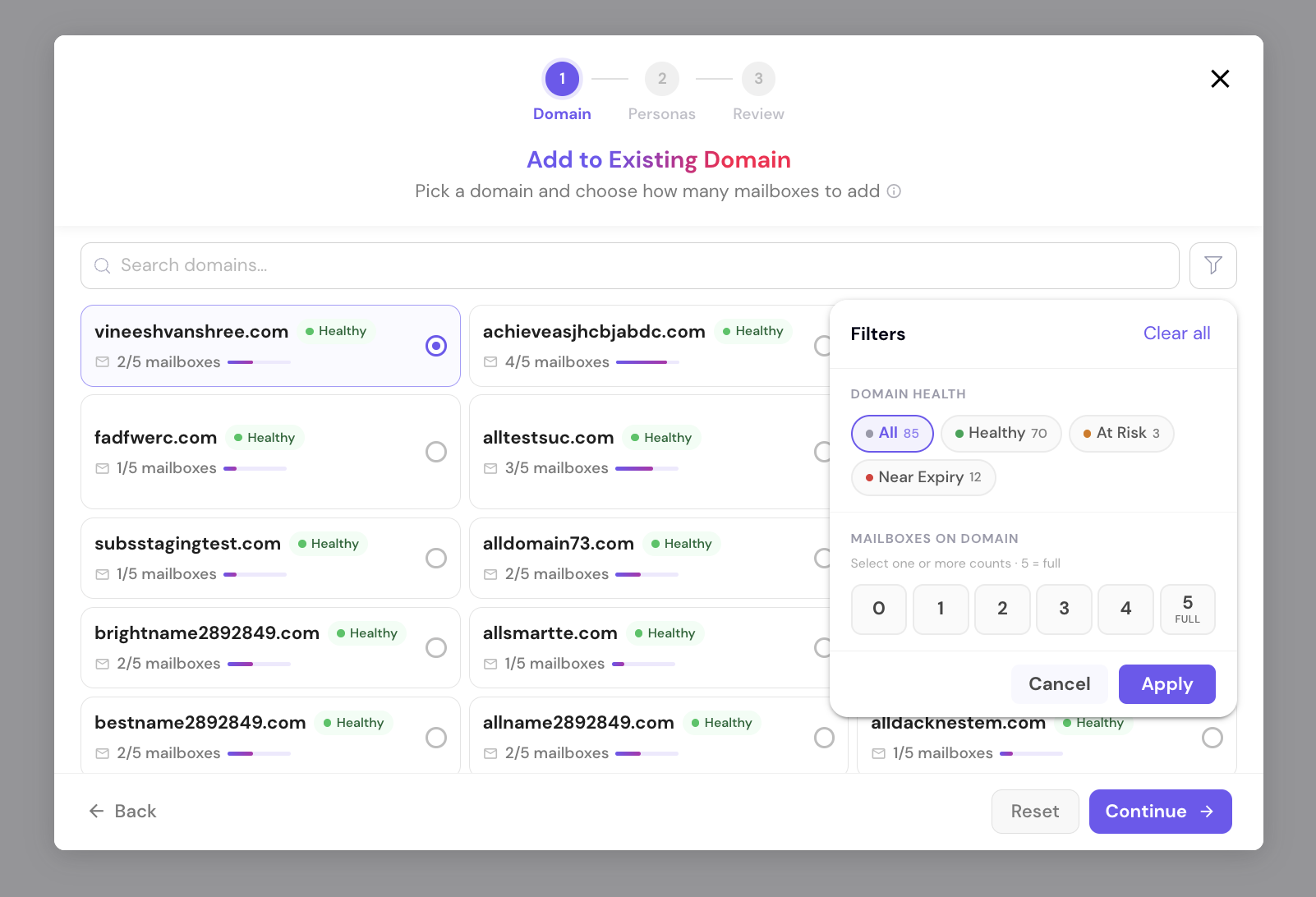
Use the filter icon to narrow the list by domain health (Healthy / At Risk / Near Expiry) or by how many mailboxes a domain already has.
Choose how many mailboxes to add - the screen shows how many additional mailboxes that domain can still take, based on its current mailbox count.
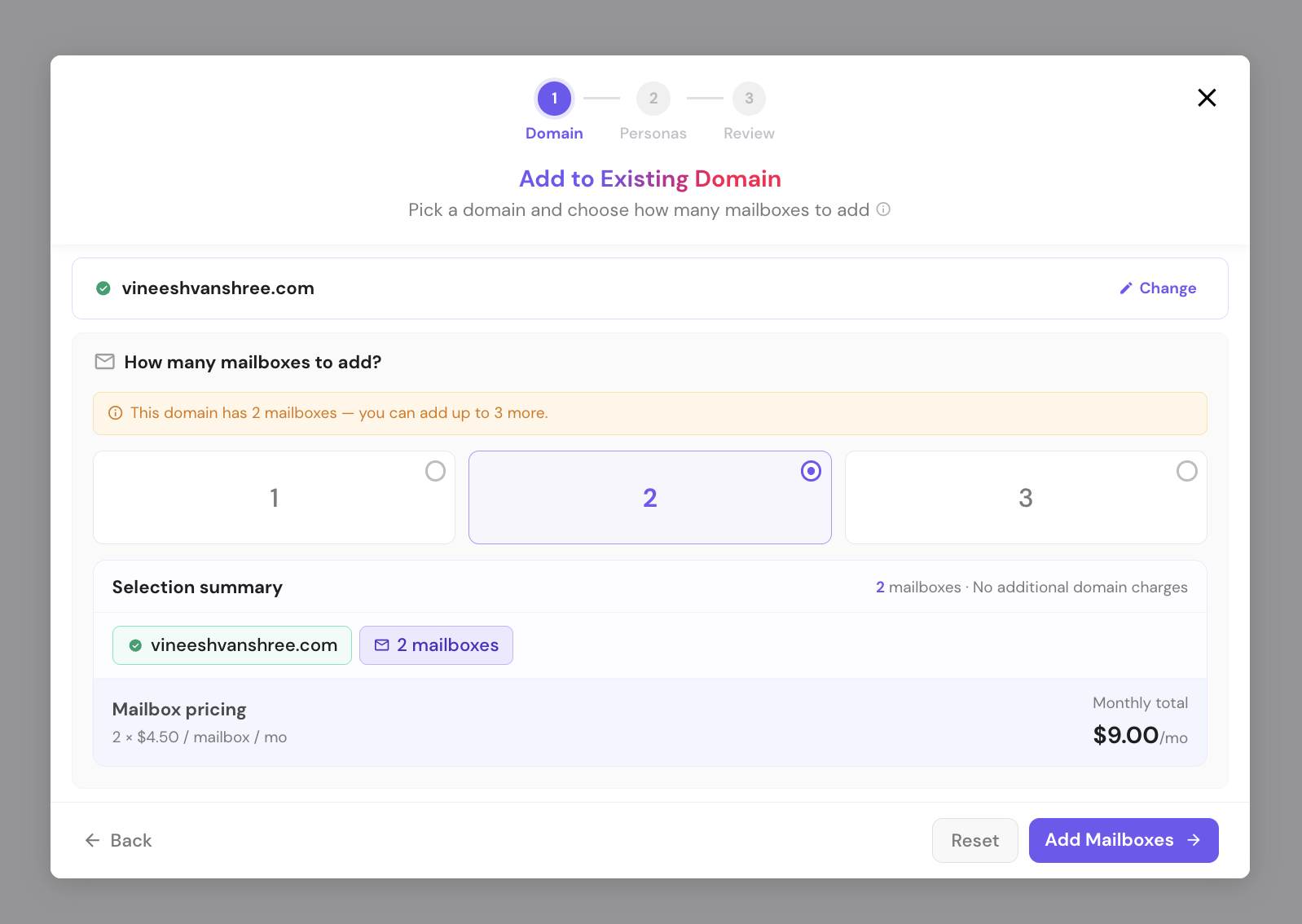
Click Add Mailboxes to continue.
Set a First Name and Last Name for the new mailbox persona(s).
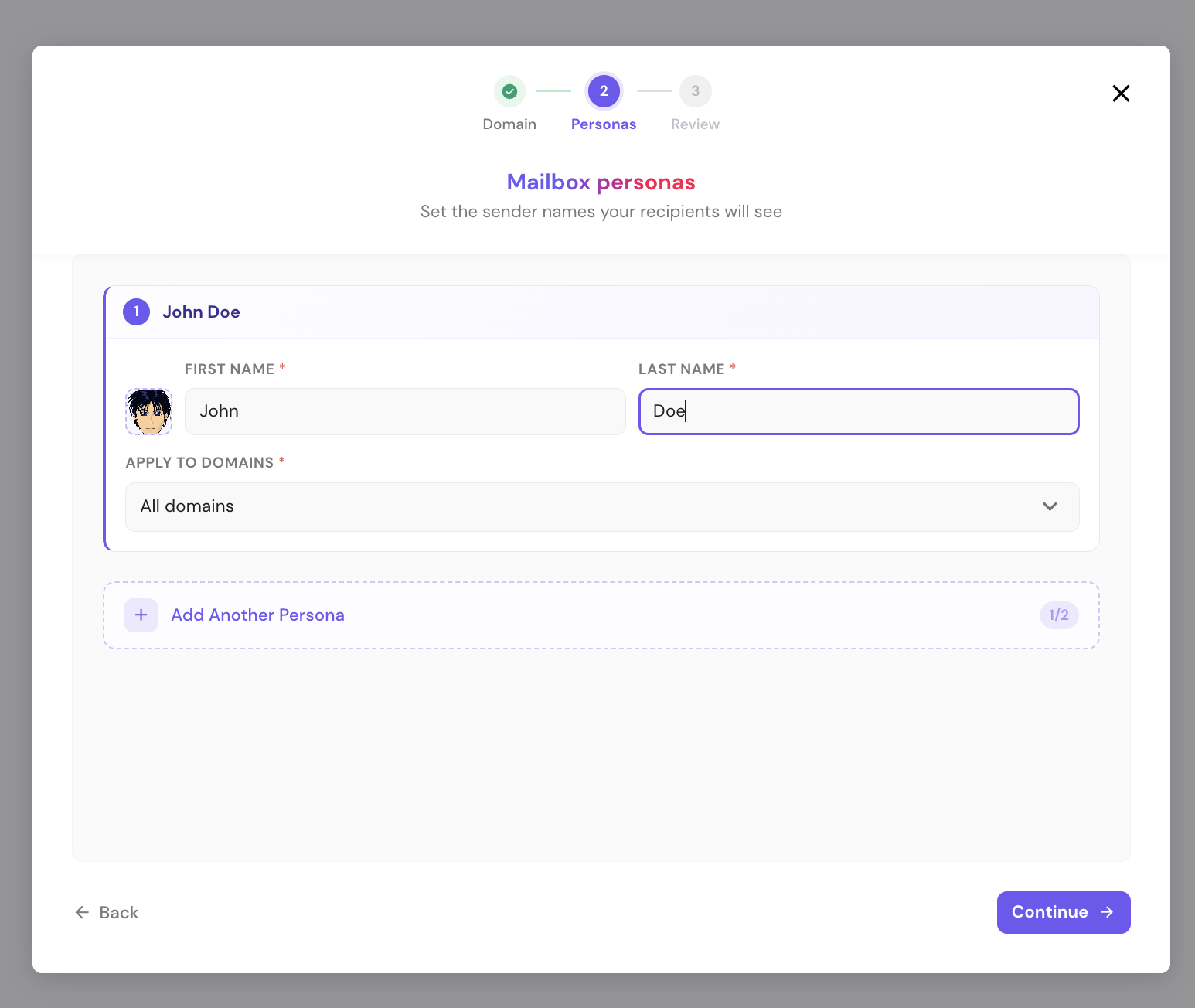
You can also choose which domain(s) to apply it to, using the All Domains dropdown.
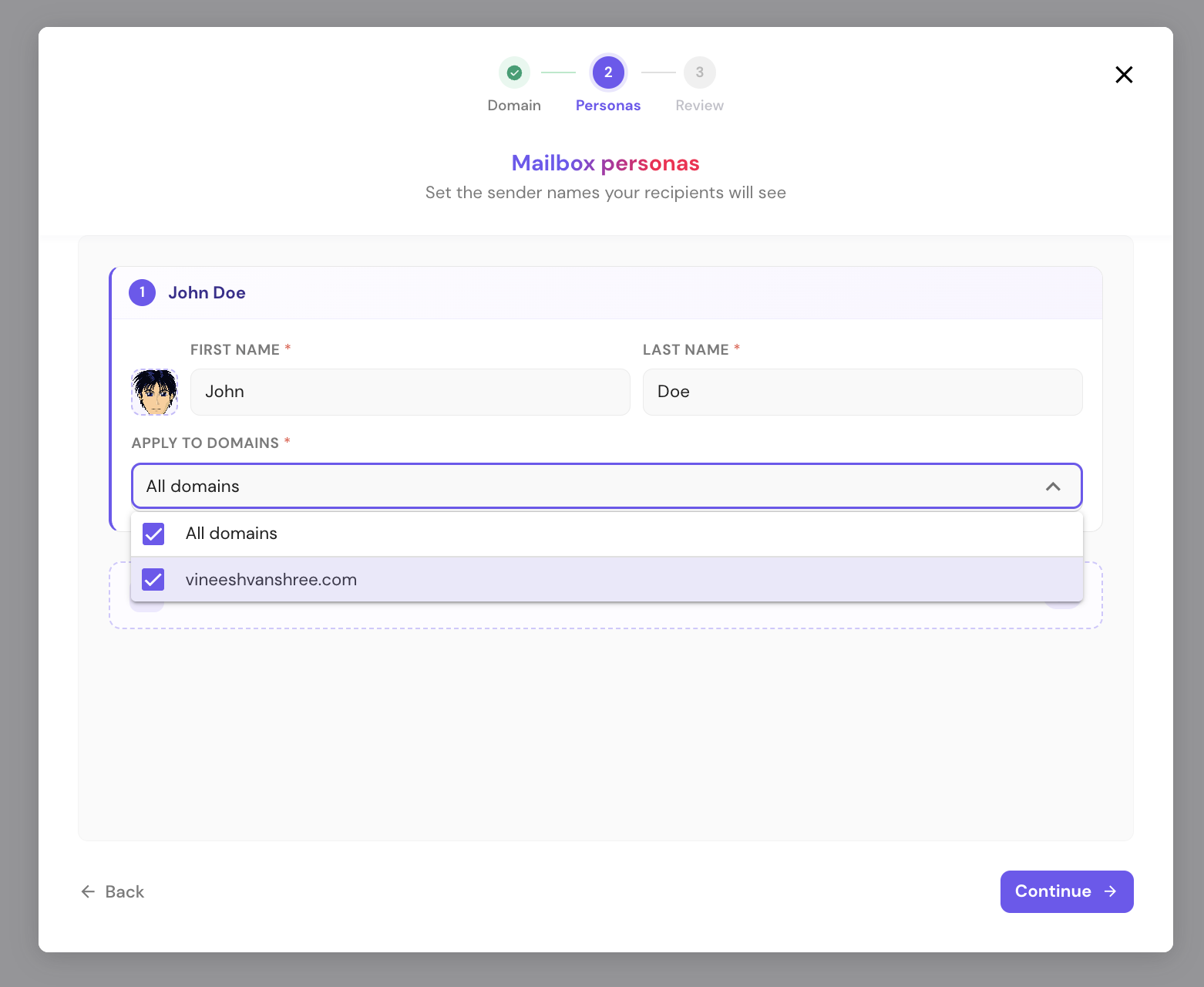
Once done, click Continue.
Note: some words aren't permitted in sender names and will show a validation error if used.
Review your order. The Cost Summary shows Domain fee: FREE (no new domain purchased) plus the monthly mailbox cost, then click Complete Purchase.
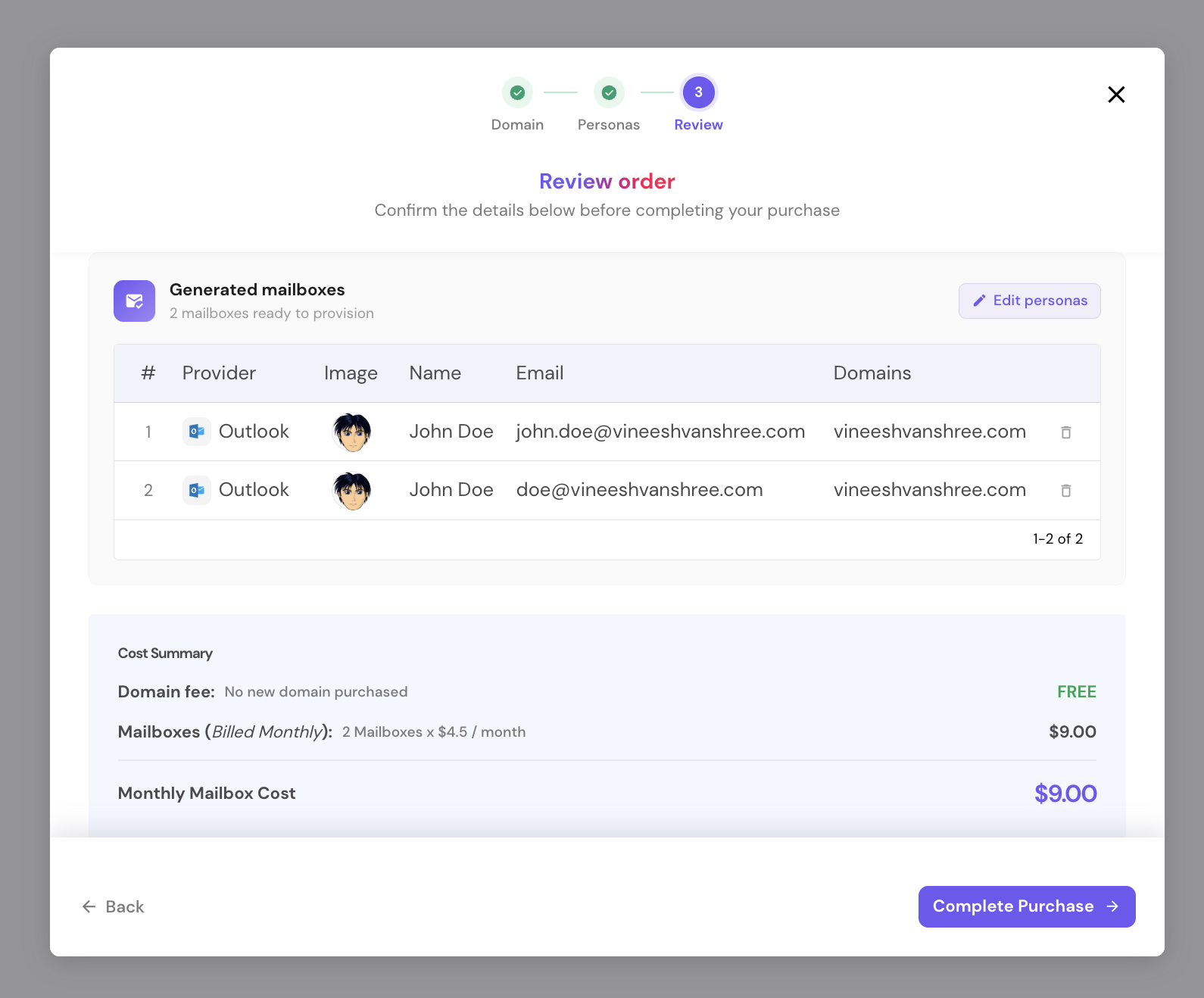
On the payment screen, review the price breakdown and click Make secure payment.
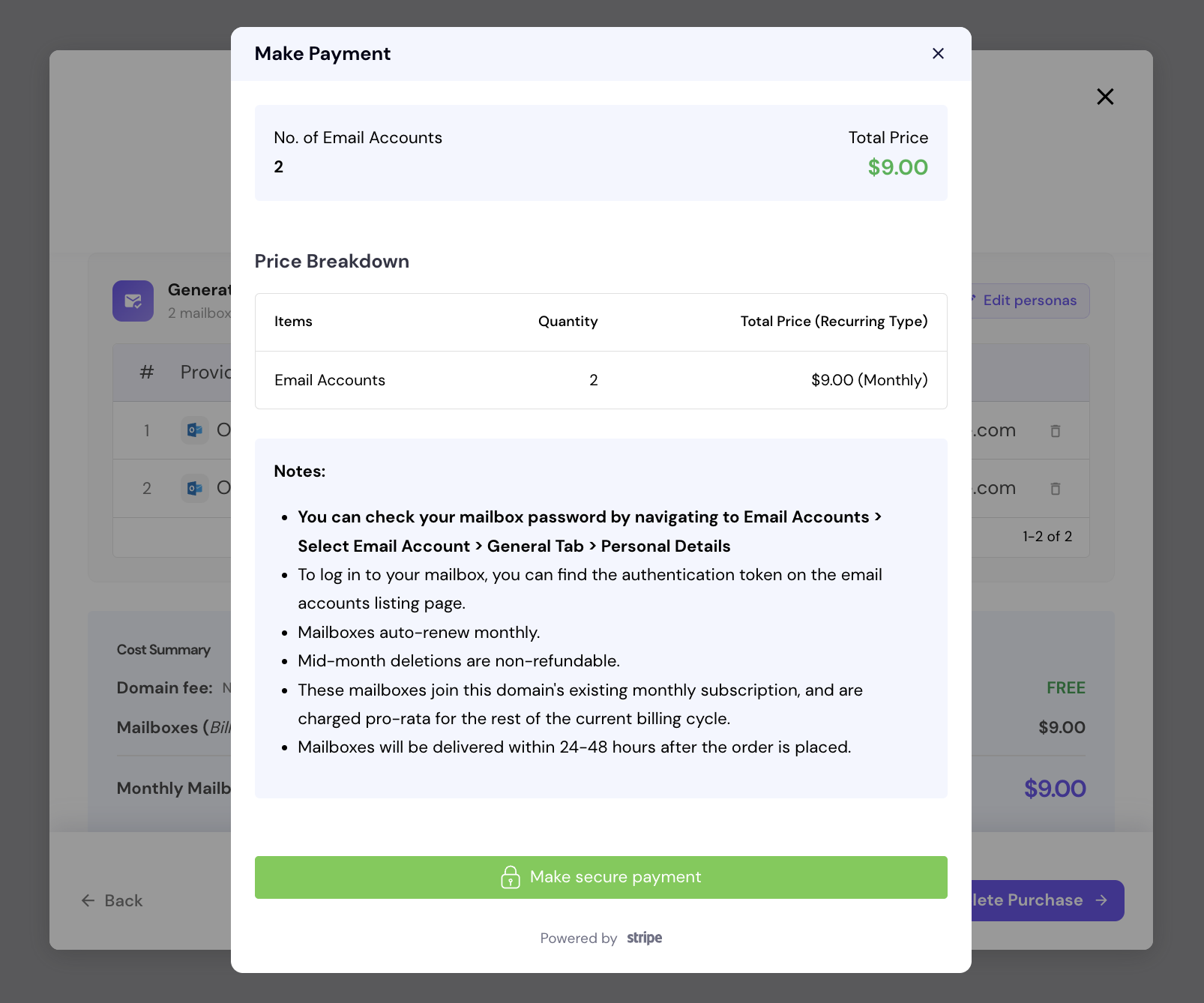
These new mailboxes join the domain's existing monthly subscription and are billed pro-rata for the rest of the current billing cycle, and will be delivered within 24-48 hours.
If you’re looking to buy new domains and mailboxes, check out this article.
